Voice Mode
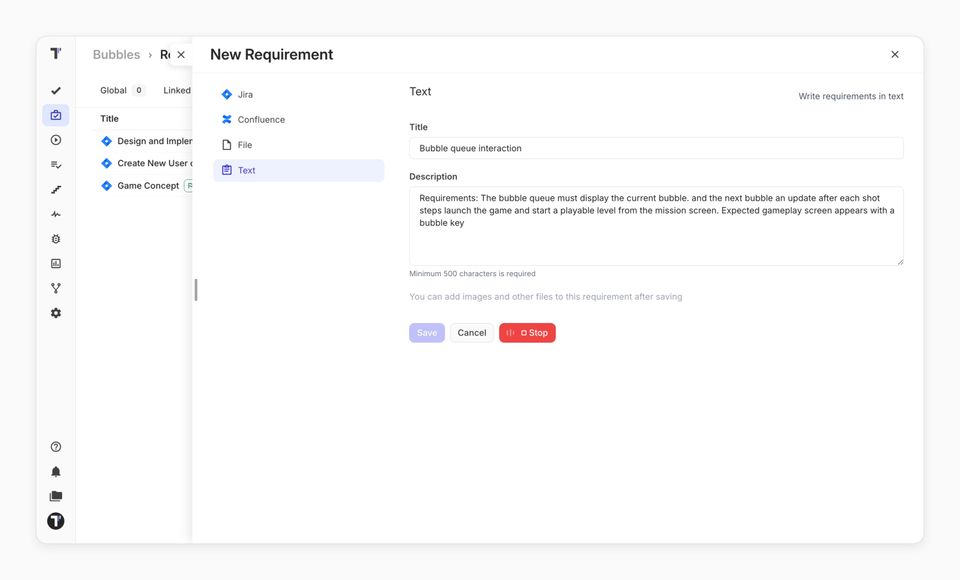
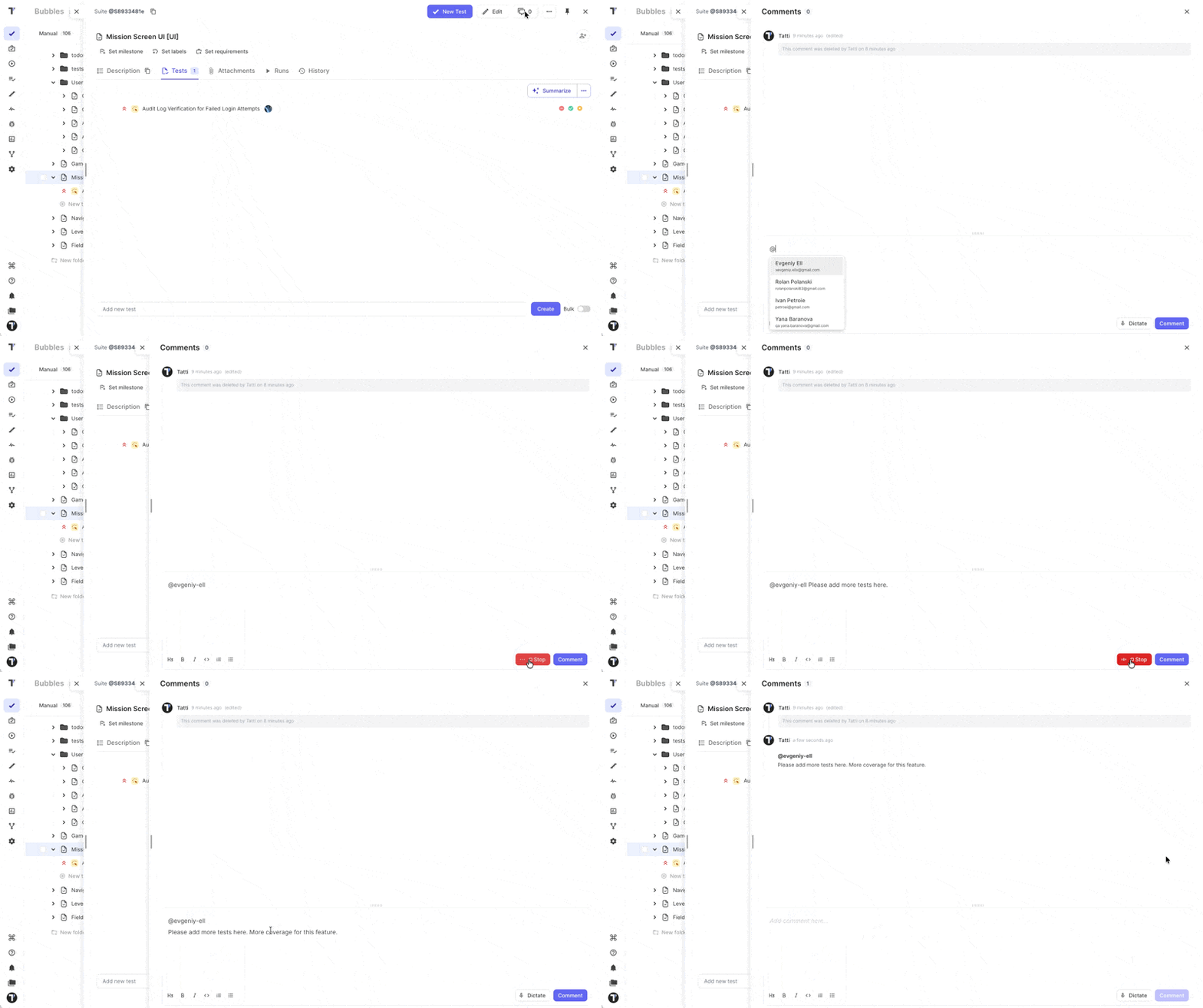
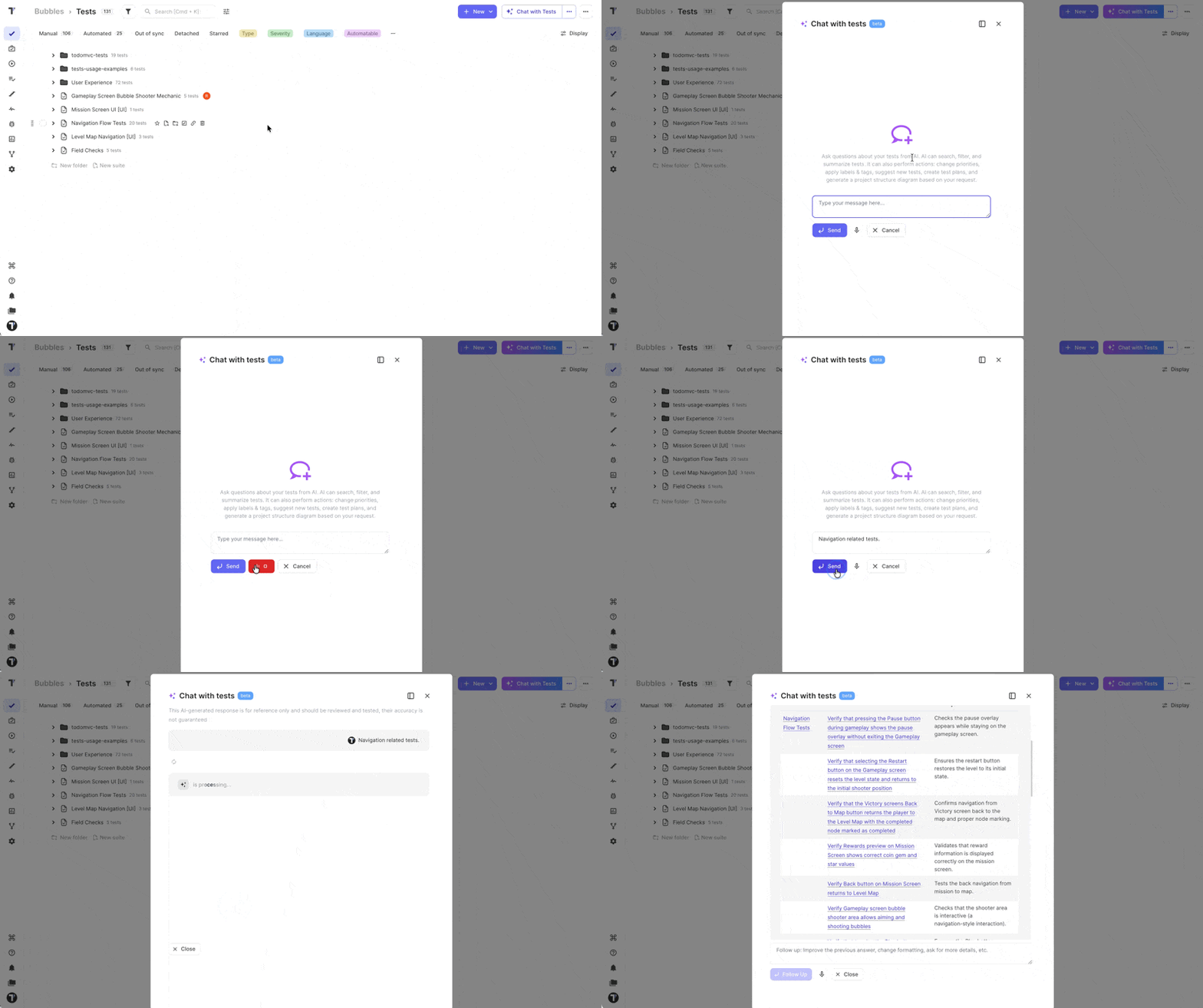
Dictate your test steps instead of typing them. With Voice Mode, you can dictate test steps, requirements, and exploratory testing notes instead of interrupting your workflow to type them.
After you stop recording, your text appears in the editor, and AI improves the grammar, punctuation, and formatting. Voice Mode works across test and suite descriptions, requirements, comments, test plans, and TQL filters. If AI formatting is unavailable, the original transcription remains intact, so you don't lose your input.
Speaking saves time on long test steps and gives an option to people who find typing hard. To turn Voice Mode on, enable AI features in your project settings.
Testomat.io Browser Extension
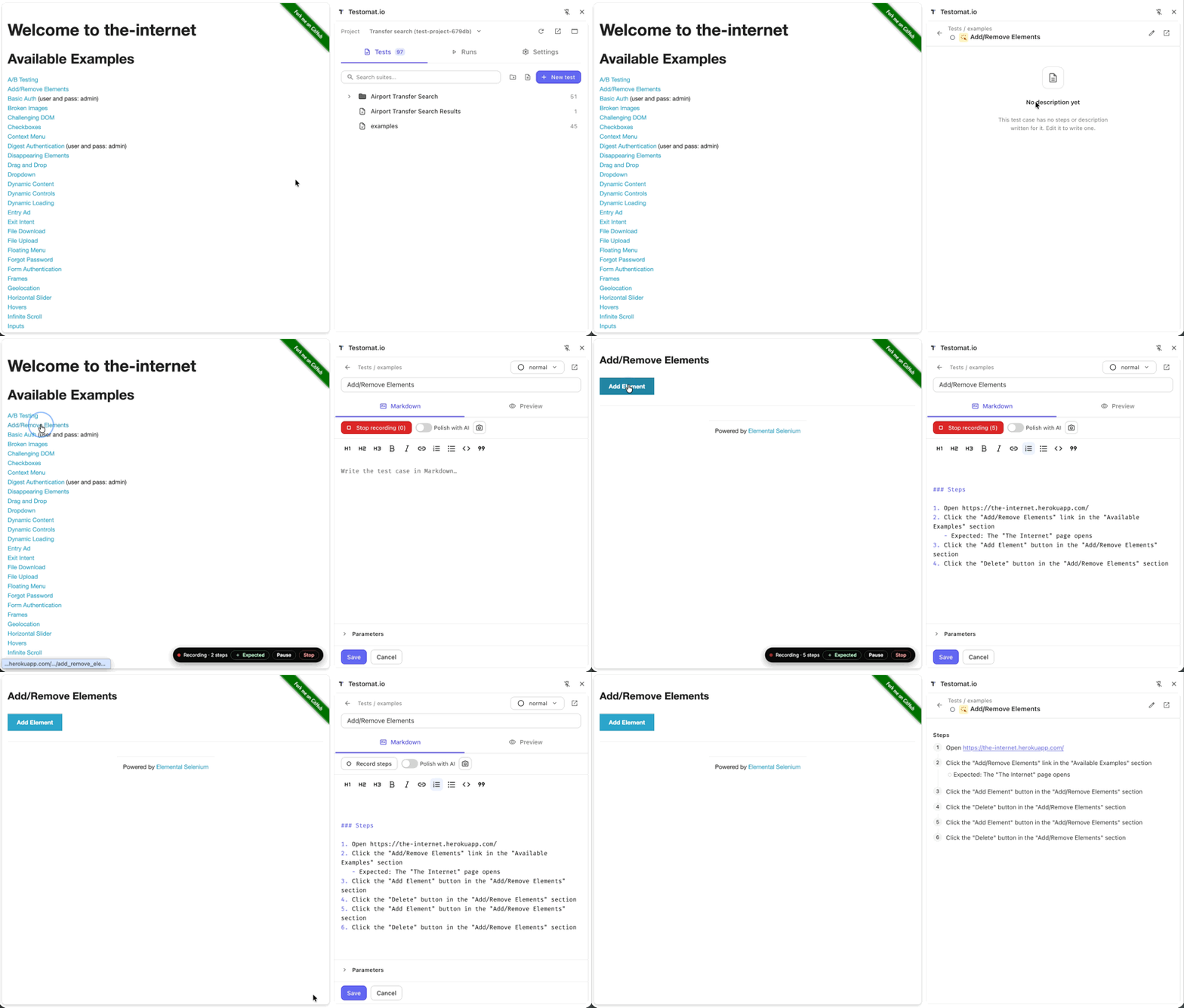
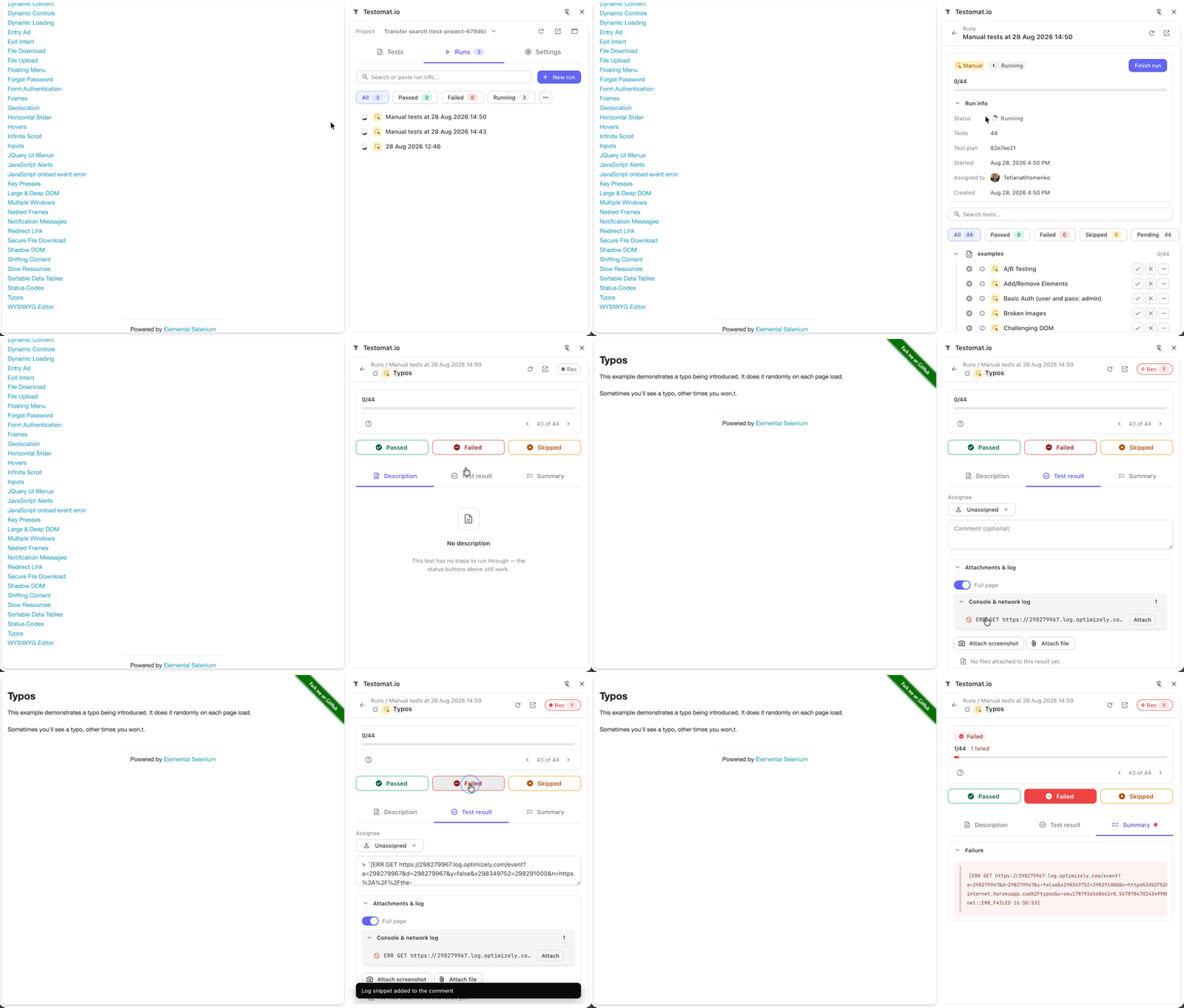
Run manual tests and the application you are testing with the new Testomat.io browser extension. The side panel gives you quick access to Tests, Runs, and Settings. You can also detach it into a separate window.
Browse or create tests, record browser actions as reusable steps, and let AI polish the instructions. During a run, follow the steps, update results, and attach screenshots, files, console logs, or network activity without switching back to the Testomat.io web app.
Try the extension with Chrome 123 or newer.
Manual-to-Automated Test Analytics
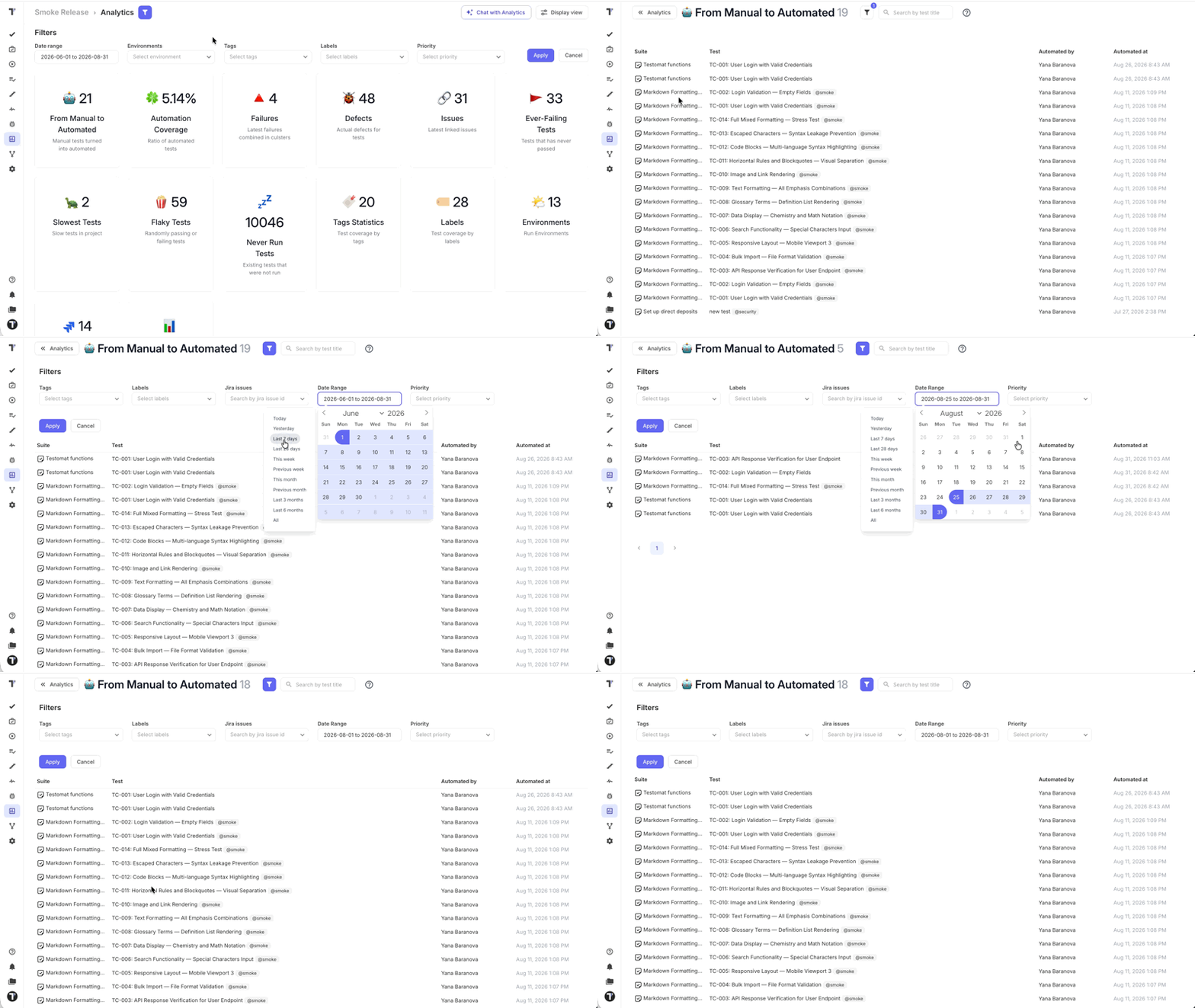
Track how your test suite progresses from Manual to Automated with a dedicated Analytics widget. It shows how many tests changed state during the selected date range and updates based on the supported filters, making automation progress easier to measure and review.
This report provides visibility into state changes that have already occurred. It does not create automated tests or change their states.
Easier Manual Run Editing
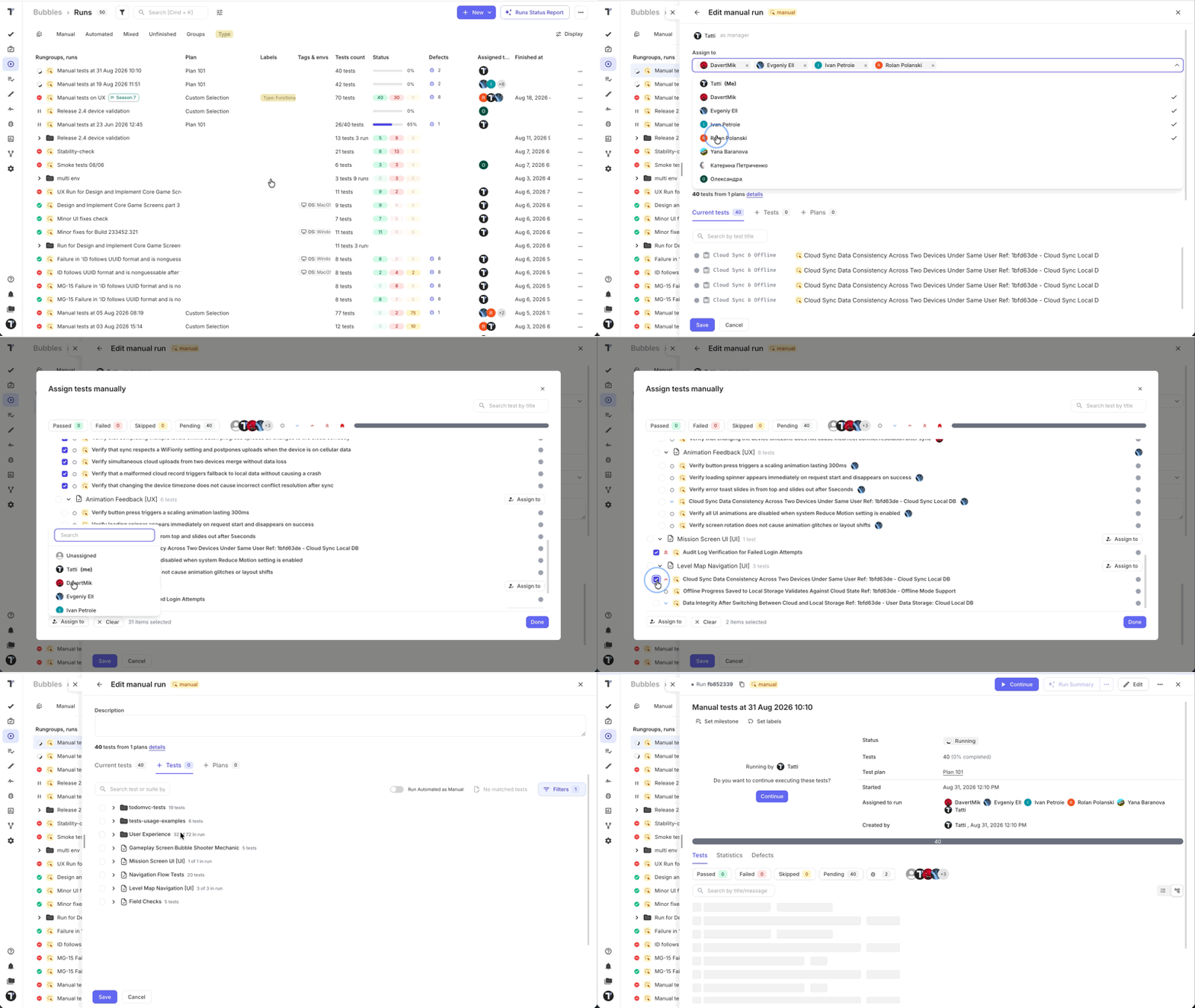
See what is already included in a manual run without opening each suite. A checkmark means the test is in the run. The counter next to a suite, like 10 of 12, tells you how much of that suite is included.
The suite tree can focus on suites that already contain tests from the run, reducing unnecessary browsing. You can also assign individual tests directly from the editor, making it quicker to update the test list and assign responsibilities in one place.
Search Tests and Suites Within a Plan
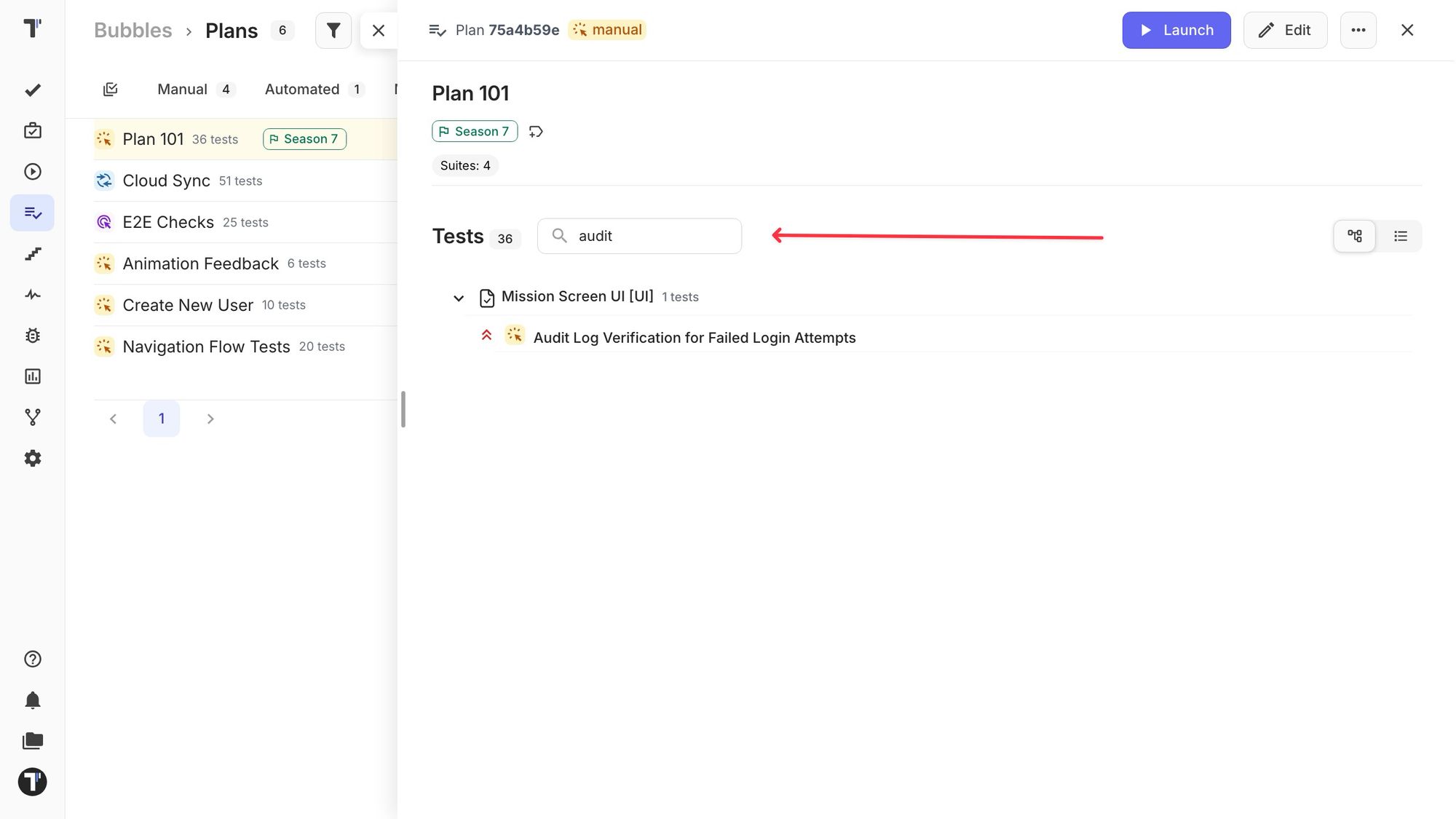
Find tests and suites within an open Test Plan without manually scanning its full contents. Search by test title, suite title, test ID, or suite ID. Results are limited to tests already included in the current plan.
Switch between Tree and List views without losing your search. Tree view preserves the parent folders around matching tests, helping you understand where each result belongs in the plan’s structure.
AI-Generated Project Structure
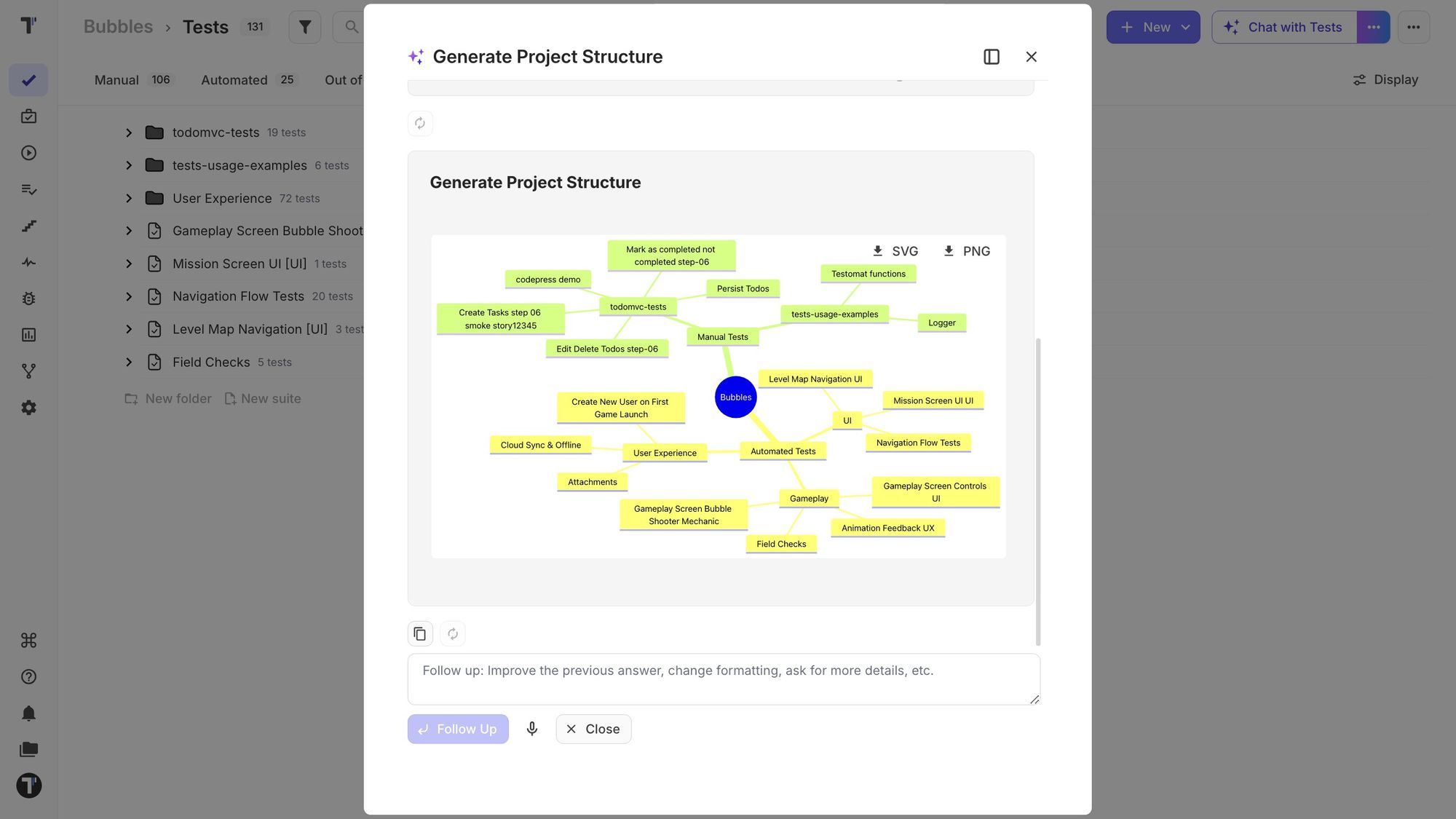
Plan how to reorganize a growing test project with AI. Testomat.io analyzes your existing folders, suites, and test distribution, asks about your priorities, and generates a visual mind map of the recommended structure.
Use the proposed structure to simplify deep hierarchies, consolidate duplicate suites, or organize tests around product features. The mind map is a planning tool, not an automatic migration, so your team can review and refine the recommendation before making changes.
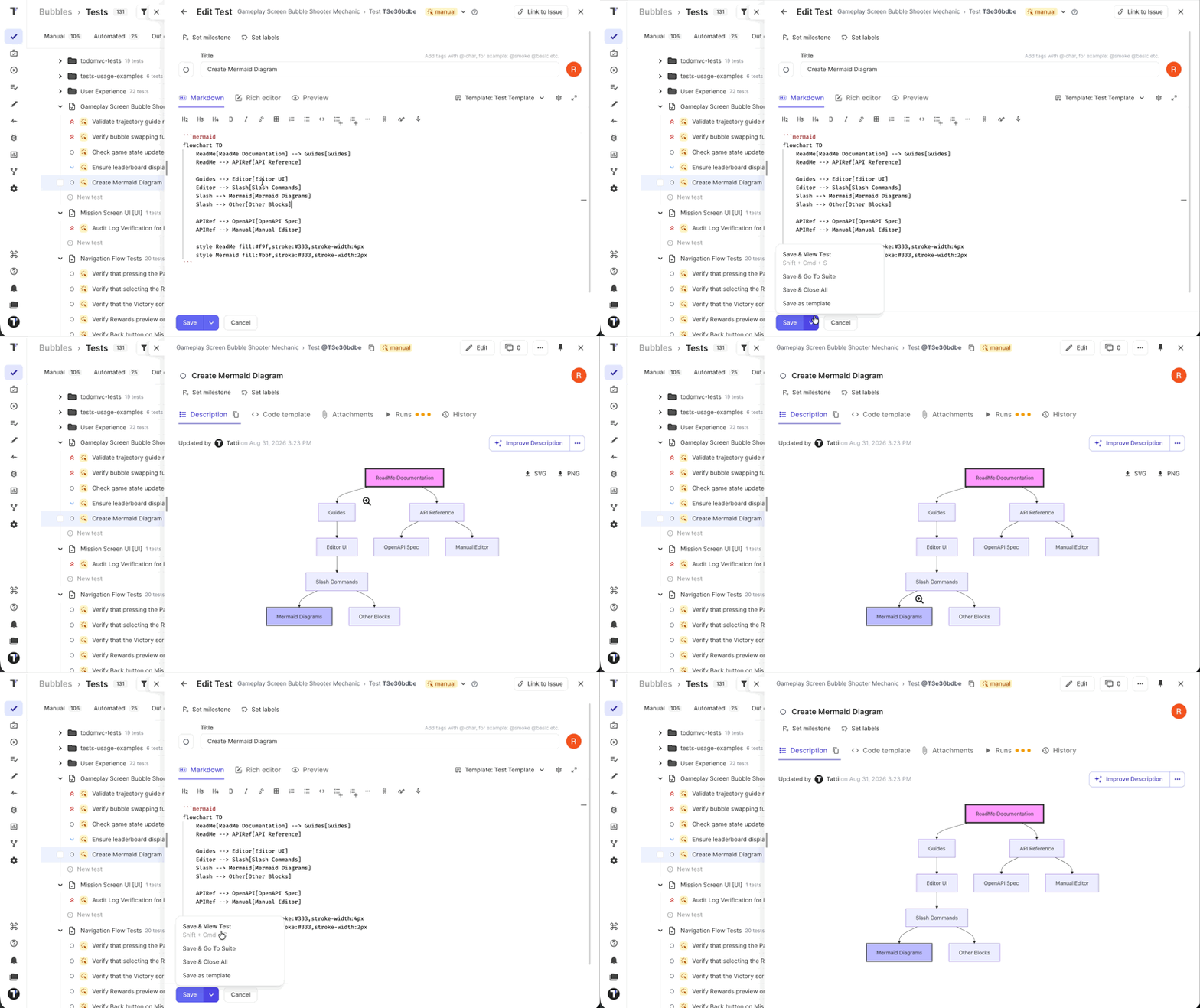
Mermaid Diagrams for Test Design
Turn test knowledge into visual models with Mermaid diagrams, making complex workflows, decision branches, state transitions, and dependencies easier to understand. Map E2E journeys, system interactions, coverage relationships, test data, or defect reproduction paths to reveal missing scenarios before testing begins.
Add diagrams to the relevant suite descriptions and keep them aligned with changing product behavior. They are especially useful for complex or stateful features. For straightforward functionality with only a few rules, a concise checklist may be easier to maintain.
Faster Access to Your Assigned Runs
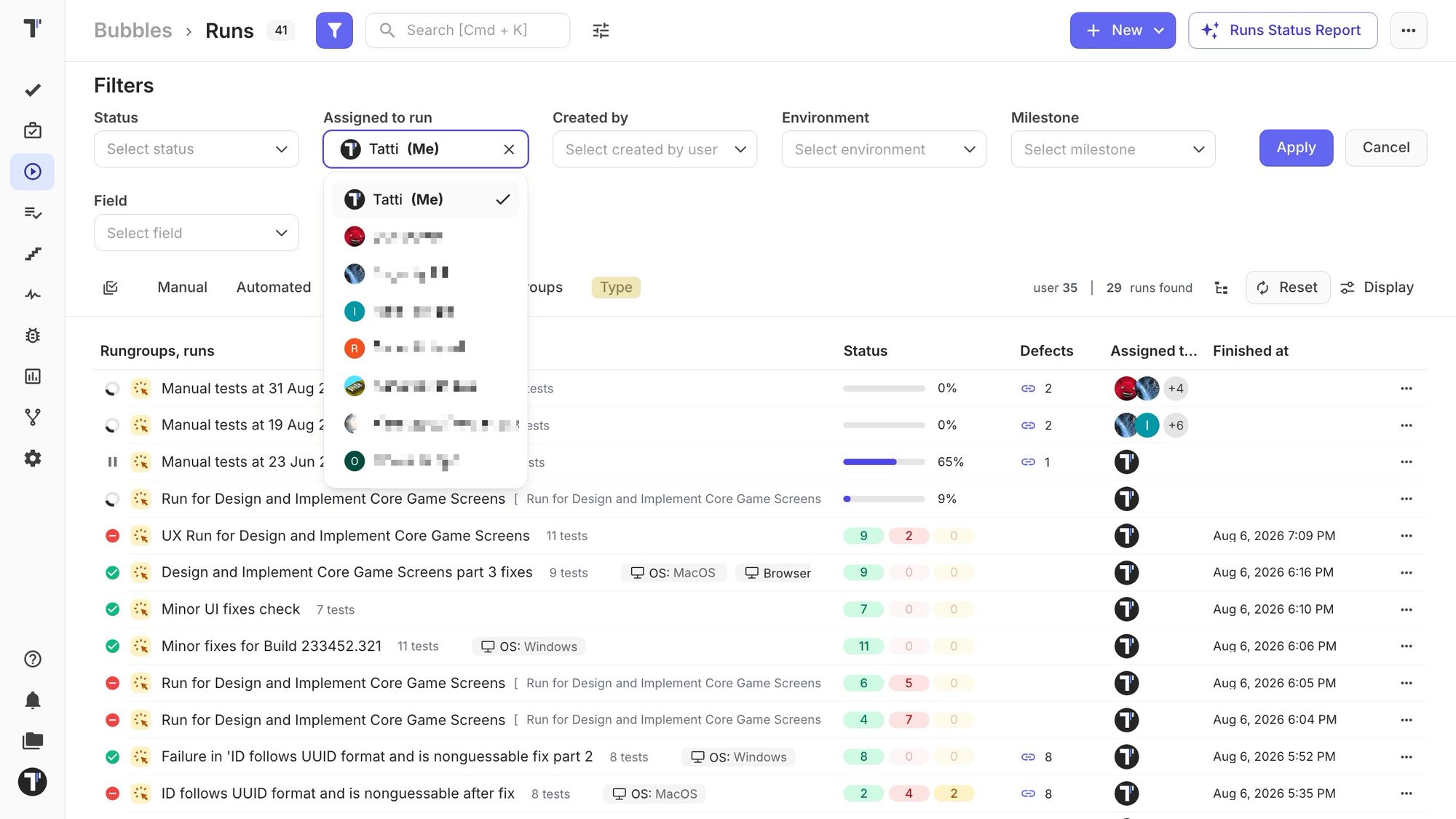
QA engineers can now find their work faster on the Runs page. The current user appears first in the assignee filter and is marked as “Me”.
Your Assigned to Me filter is now remembered on the Runs page. You can move between other screens, and when you return to Runs, you’ll still see the runs assigned to you.
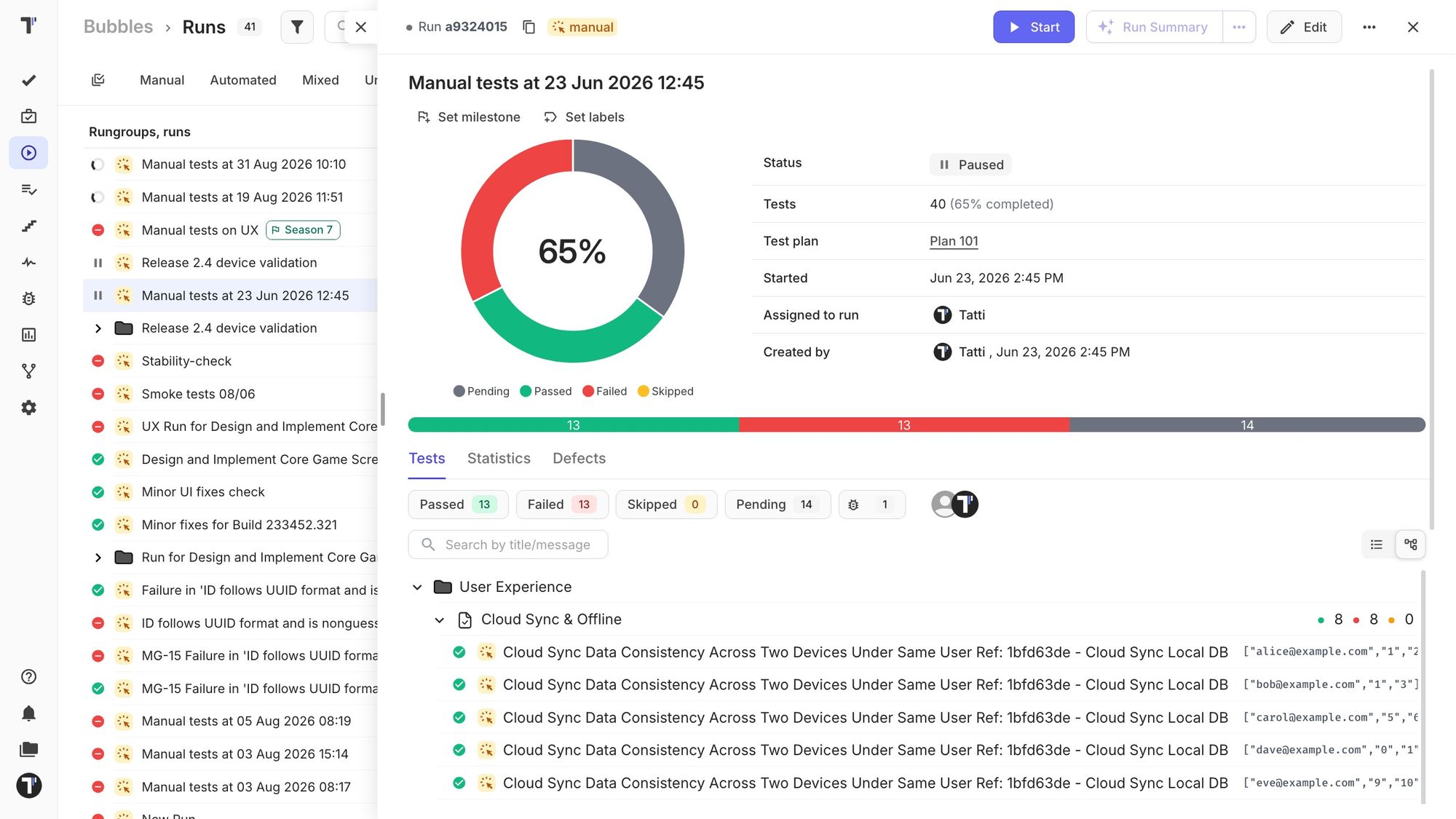
Improved Paused and Scheduled Run Screens
Stay informed and take action without leaving the run screen. Paused and scheduled runs now keep the complete run context visible, including the summary, test list, progress, statistics, defects, and attachments. Clear status badges and distinct pause and schedule icons make the current state easier to recognize.
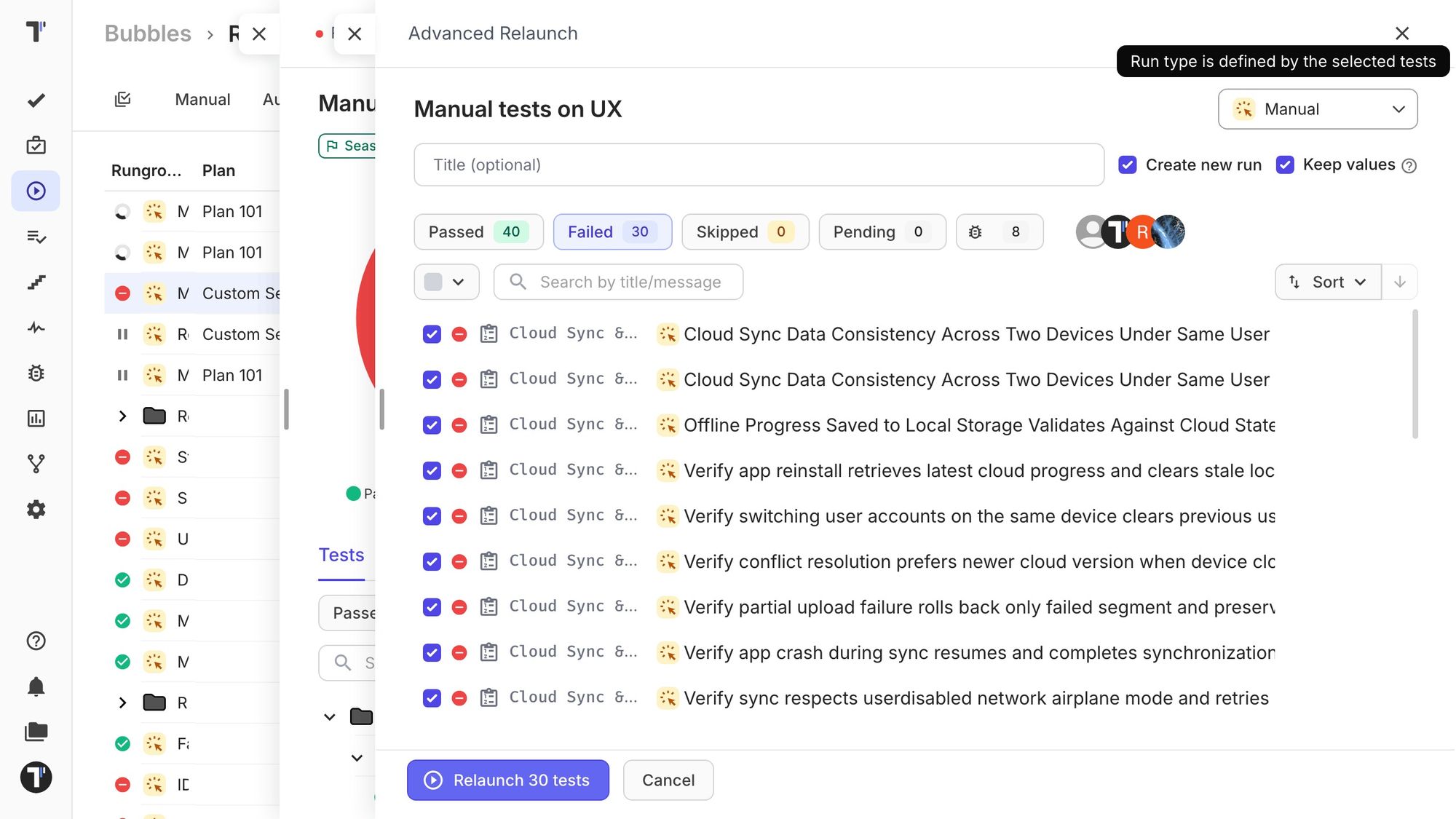
Advanced Relaunch Enhancements
When creating a new run, Testomat.io now determines available run types based on your selection. You can relaunch automated tests as manual or automated, and a mixed selection can start as a manual or mixed run. This makes it easier to move from CI results to manual verification without rebuilding the test selection.
Advanced Relaunch now opens each run in the correct execution view, displays feedback that matches the selected run type, and reliably preserves previous values during an in-place relaunch. Test status indicators are also refreshed after relaunch, keeping Passed and Failed history accurate across the project.
Public API v2 Improvements
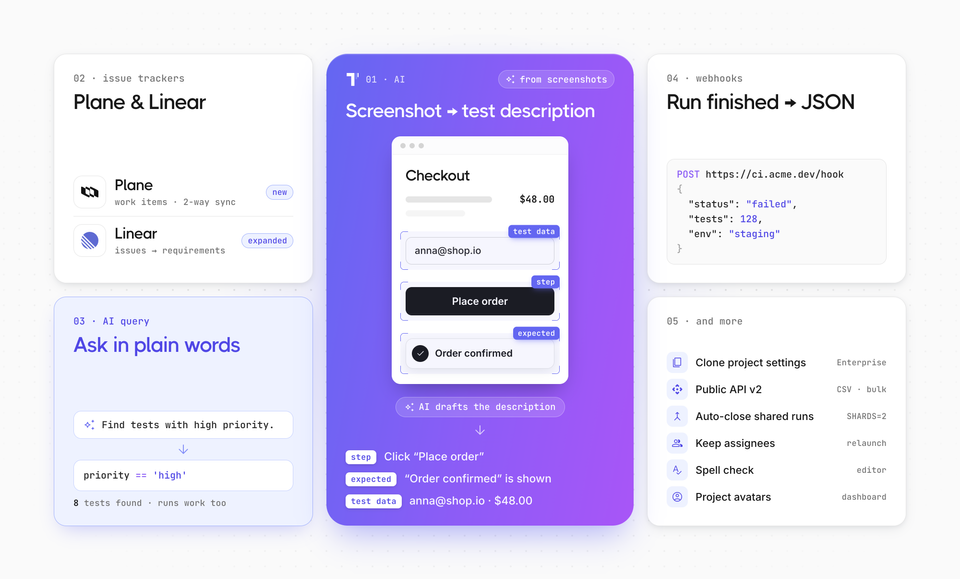
Public API v2 now offers branch-aware operations, aggregated counts, run-level statistics, analytics access, and clearer pagination. These improvements make integrations and external reporting easier to build and maintain.
Branch-Aware Requests
Work with tests, suites, and runs from a specific project branch. Test and suite changes remain isolated from Main.
curl "https://app.testomat.io/api/v2/my-project/tests?branch=feature-checkout" \
  -H "Authorization: Bearer $TESTOMATIO_TOKEN"
Aggregated Counts
Request totals grouped by fields such as test state or run status without downloading every record.
curl "https://app.testomat.io/api/v2/my-project/tests?count=true&group_by=state" \
  -H "Authorization: Bearer $TESTOMATIO_TOKEN"
The response shows how many tests are Manual and Automated, making it suitable for dashboards and summary reports.
Run Result Breakdowns
Analyze a run by suite, tag, label, assignee, or priority. Each group includes passed, failed, skipped, and pending result counts.
curl "https://app.testomat.io/api/v2/my-project/runs/RUN_ID/stats/suites" \
  -H "Authorization: Bearer $TESTOMATIO_TOKEN"
Replace suites with tags, labels, assignees, or priorities to change the breakdown.
Analytics Access
Retrieve saved charts or aggregated trend data for use in external dashboards, reports, and AI tools.
curl "https://app.testomat.io/api/v2/my-project/analytics/stats/success-rate-by-date?days=30" \
  -H "Authorization: Bearer $TESTOMATIO_TOKEN"
Available reports include success rate, automation rate, test-run activity, and priority trends.
Clearer Pagination
Paginated responses now include total_pages and has_more, so integrations know whether another page needs to be requested.
curl "https://app.testomat.io/api/v2/my-project/tests?page=2&per_page=50" \
  -H "Authorization: Bearer $TESTOMATIO_TOKEN"
{
  "meta": {
    "total_pages": 26,
    "has_more": true
  }
}