Improved AI-Assisted Analysis
AI-Generated Test Descriptions from Screenshots
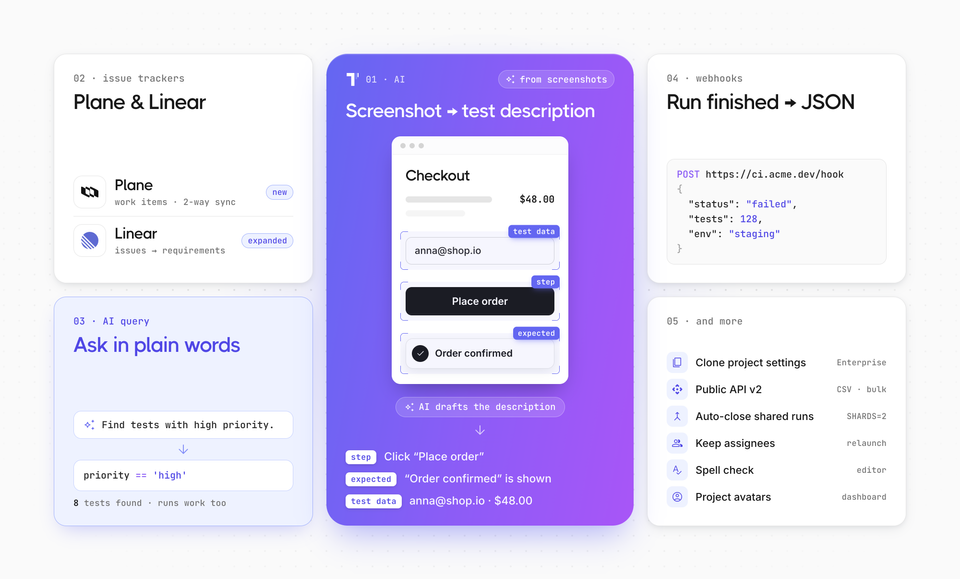
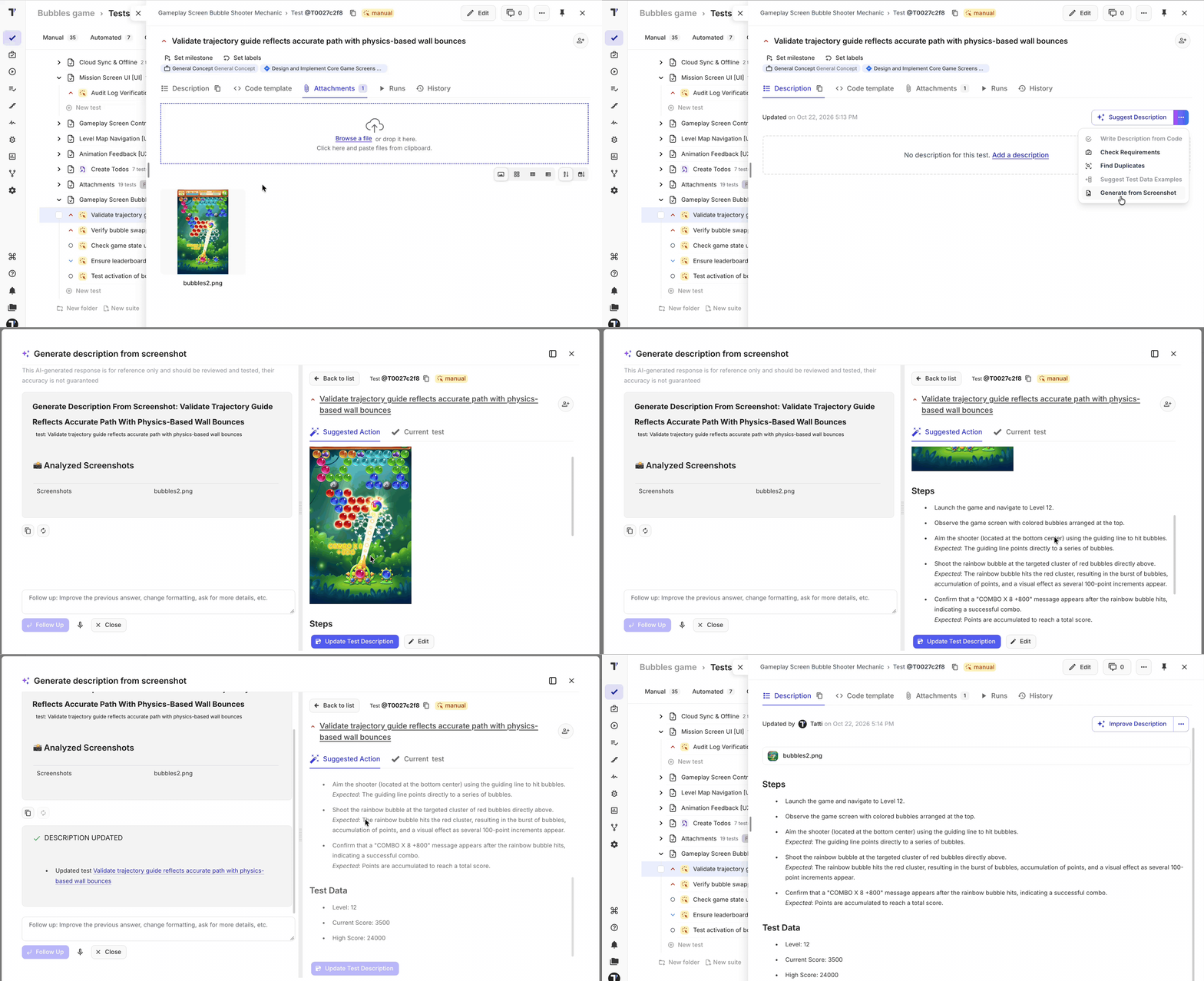
Turn screenshots into clear, editable test descriptions with AI. It identifies user actions, expected results, and visible test data, helping you document test scenarios faster without writing every detail from scratch.
AI-Assisted TQL Queries for Runs and Tests
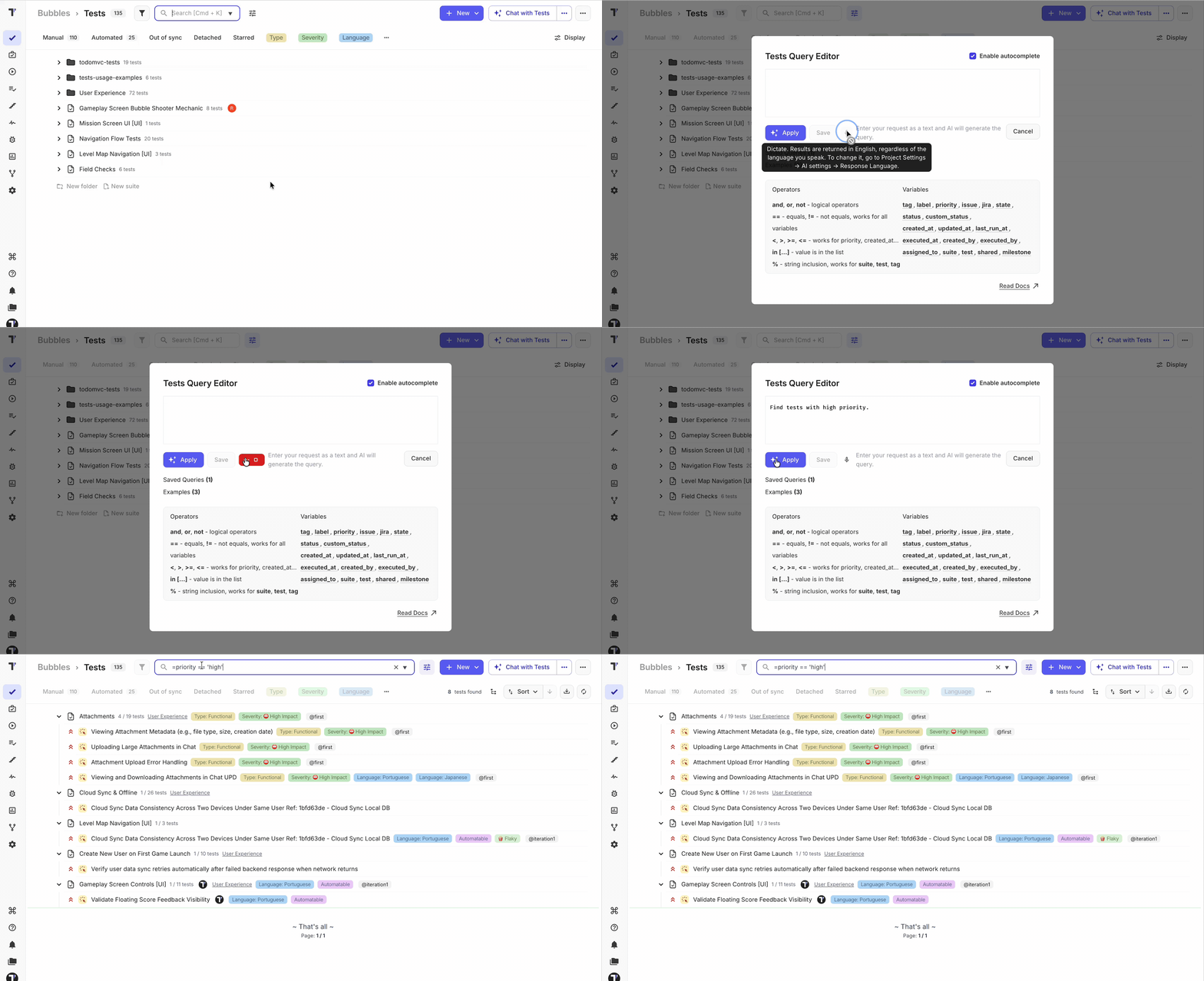
Describe what you want to find in plain language and let AI generate the corresponding TQL query for you. Whether you are looking for failed runs from a specific period or tests matching particular states, priorities, labels, or other criteria, you can build advanced filters without remembering the exact TQL syntax.
AI uses dedicated query schemas for Runs and Tests, ensuring that the generated query matches the available fields and operators for each area.
Clone Project Settings
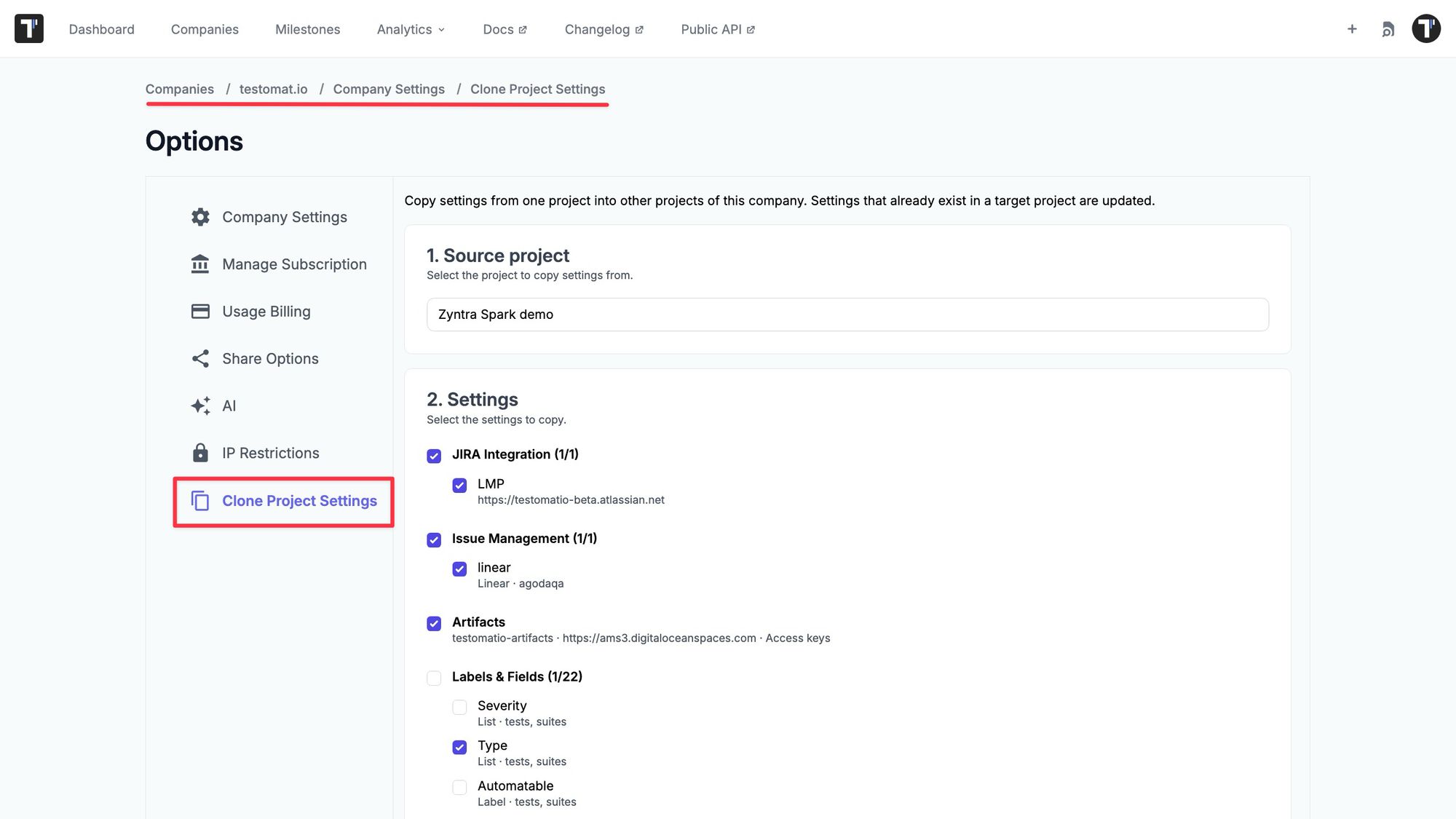
Set up multiple projects faster by copying selected configuration from one project to other projects within the same company. Company owners can clone individual settings or entire categories to several target projects at once, helping teams maintain consistent configurations without recreating them manually or copying project content.
Clone Jira integrations, issue management profiles, artifact storage settings, labels and fields, templates, environments, and custom statuses. Clone Project Settings is available to company owners on the Enterprise plan.
Plane Issue Tracker Integration
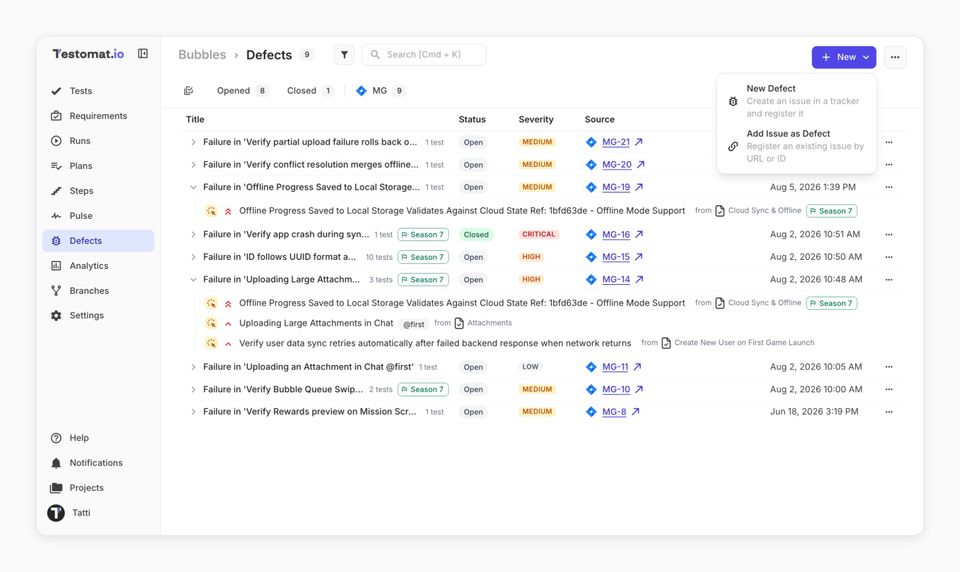
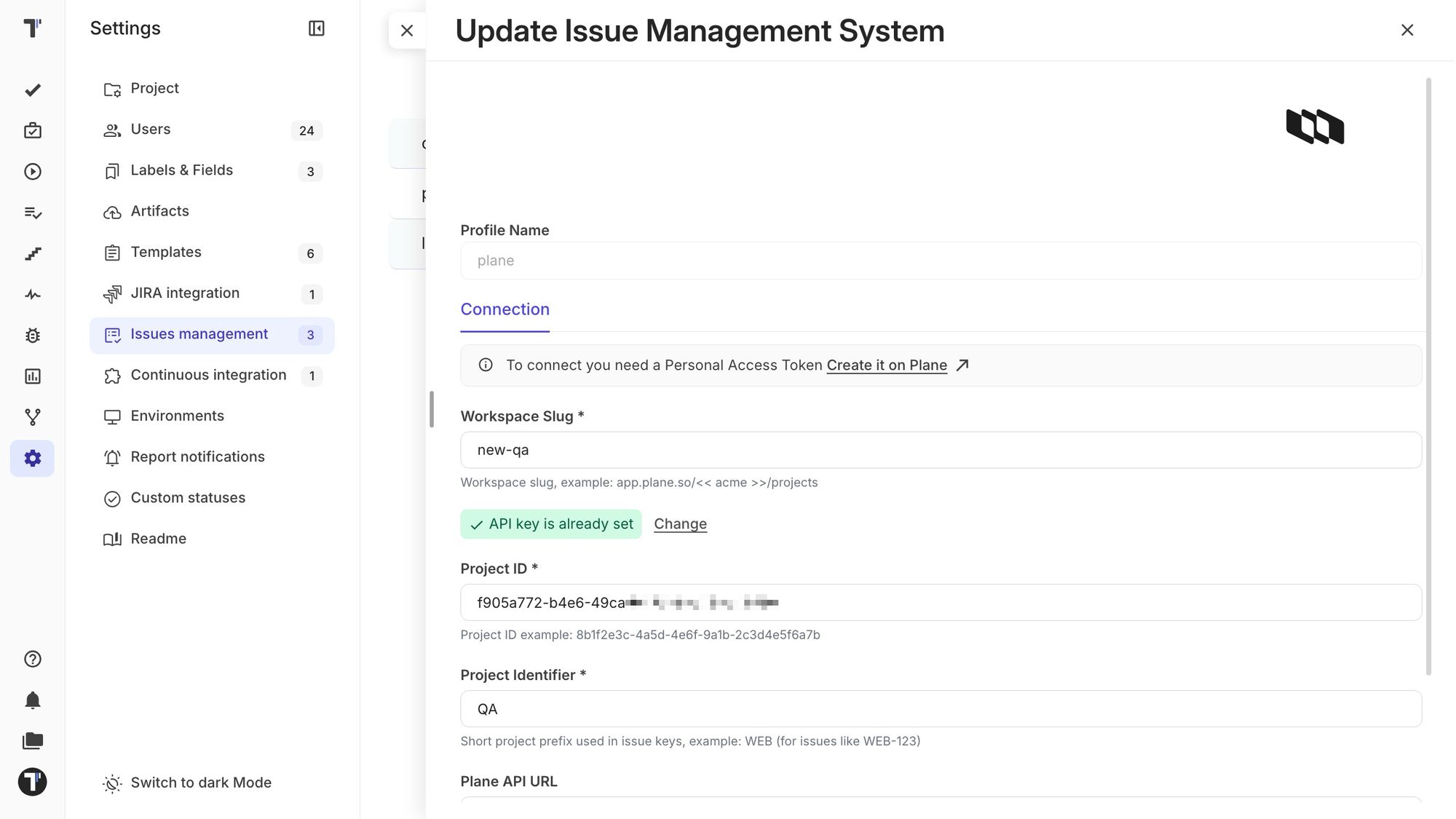
Connect your Plane workspace to Testomat.io and manage defects without breaking your testing workflow. Testers can create Plane work items directly from tests and test runs, or link an existing issue by pasting its Plane URL.
Testomat.io retrieves the issue details and adds a comment in Plane with a link back to the related testing item, keeping context available in both tools. Linked defects automatically synchronize their title, description, comments, status, and priority. Updates to a defect’s title, description, or severity in Testomat.io are also pushed back to Plane.
Both Plane Cloud and self-hosted instances are supported.
Expanded Linear Integration
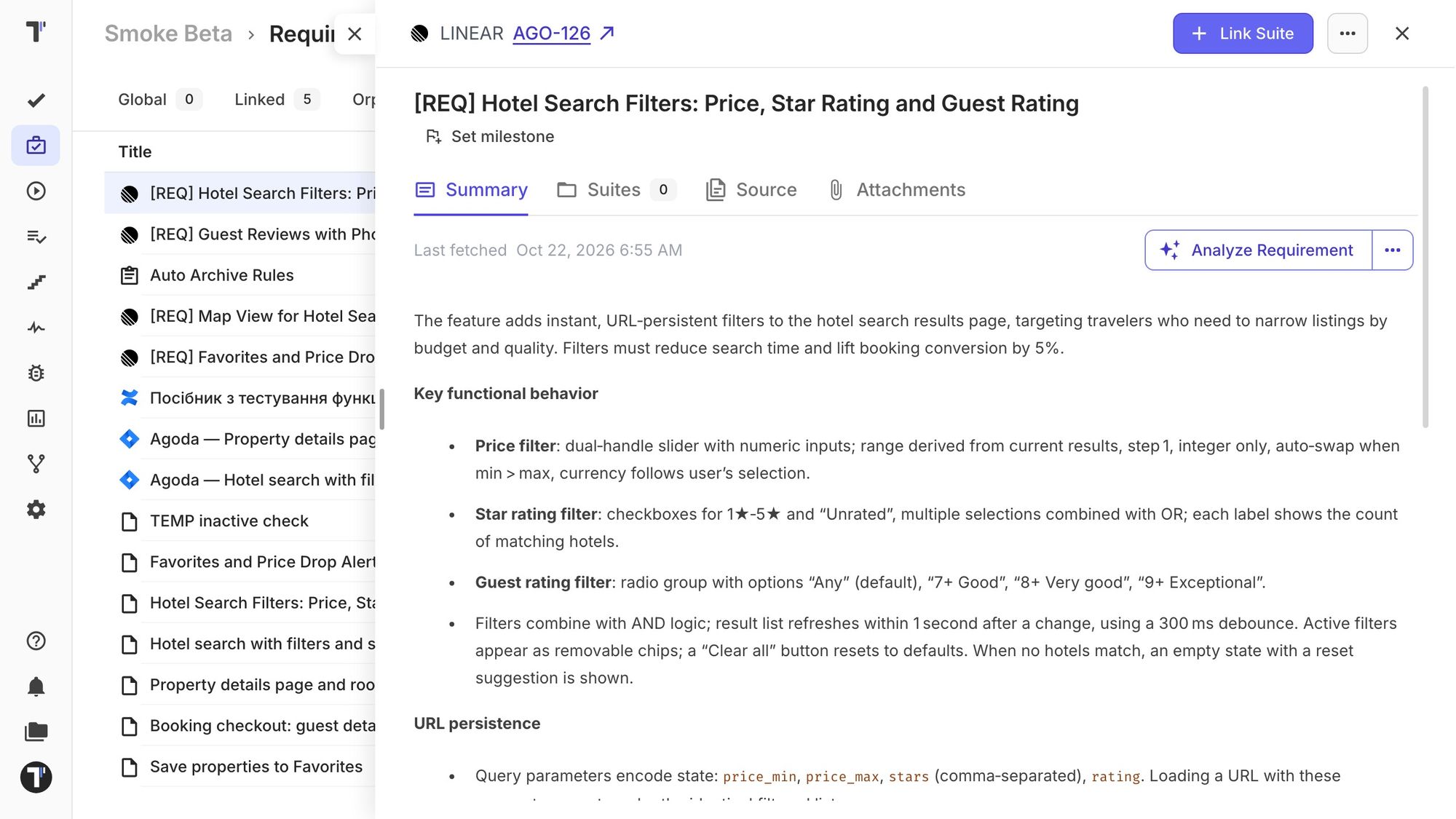
Connect testing and product work more closely with the expanded Linear integration. Now you can create Linear issues from Testomat.io or link existing issues to tests, suites, runs, plans, requirements, and defects. Linked Testomat.io items appear in Linear as rich attachments rather than comments, keeping issue discussions focused while providing direct access to the relevant testing context.
Linear issues can become Testomat.io requirements. Add an issue using its key or URL to import its title and Markdown description. Tests and suites connected to the Linear issue can then be associated with the corresponding requirement, making it easier to trace coverage from product work to validation.
Run-Completion Webhooks
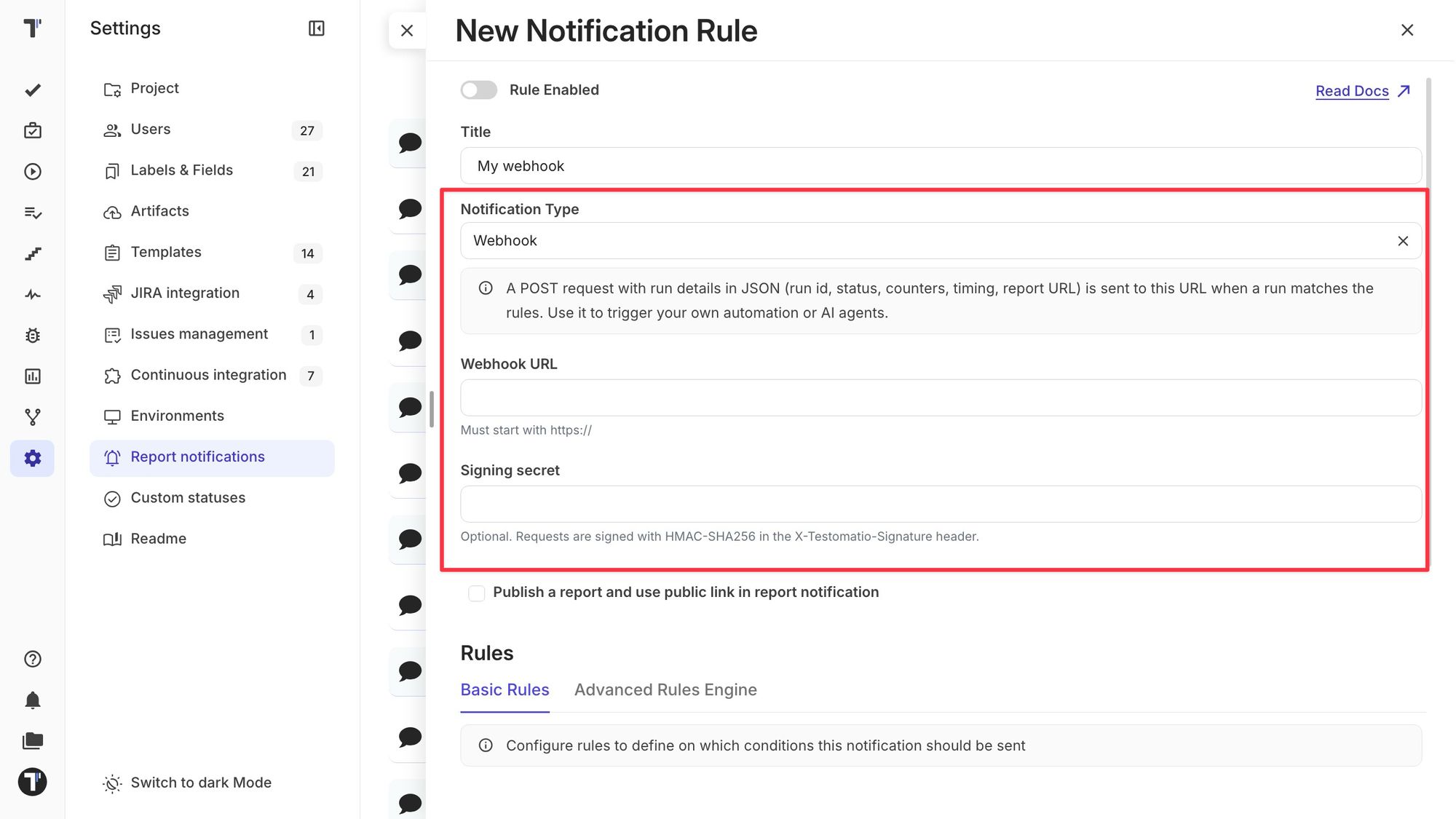
Connect Testomat.io to your automation workflows with run-completion webhooks. When a test run finishes and matches a notification rule—for example, when failures are detected - Testomat.io sends a detailed JSON payload to your external HTTPS endpoint.
Webhook payloads include the run status, test totals, environment, labels, CI build URL, run-group context, timestamps, and a direct link to the report. This makes it possible to analyze failed runs with AI, launch follow-up CI jobs, rerun failed tests, update release gates, trigger incident workflows, and synchronize results with internal dashboards or QA tools.
More Capabilities in Public API v2
Build more complete test-management workflows through Public API v2. You can now import suites from CSV and share tests and suites in bulk by their IDs or labels.
Run responses now include launch and finish timestamps, while test run lists can return the associated test version and description. This gives integrations more of the context they need without requiring additional requests.
Test Runs
Automatic Completion for Shared Runs
Shared Runs now finish automatically once every expected shard has reported. You set the shard count with TESTOMATIO_SHARDS (or shared_run_shards in the reporter API), and Testomat.io closes the run when the last shard arrives. You no longer wait for the timeout or finish the run by hand.
Use case: a team splits a Playwright suite across two CI jobs:
TESTOMATIO_SHARDS=2 playwright test --shard=1/2
TESTOMATIO_SHARDS=2 playwright test --shard=2/2
Both jobs report into one shared run. When shard 2/2 finishes, the run closes on its own, so CI executions don't leave runs open and nobody has to finish them manually.
Keep Assignees When Relaunching Runs
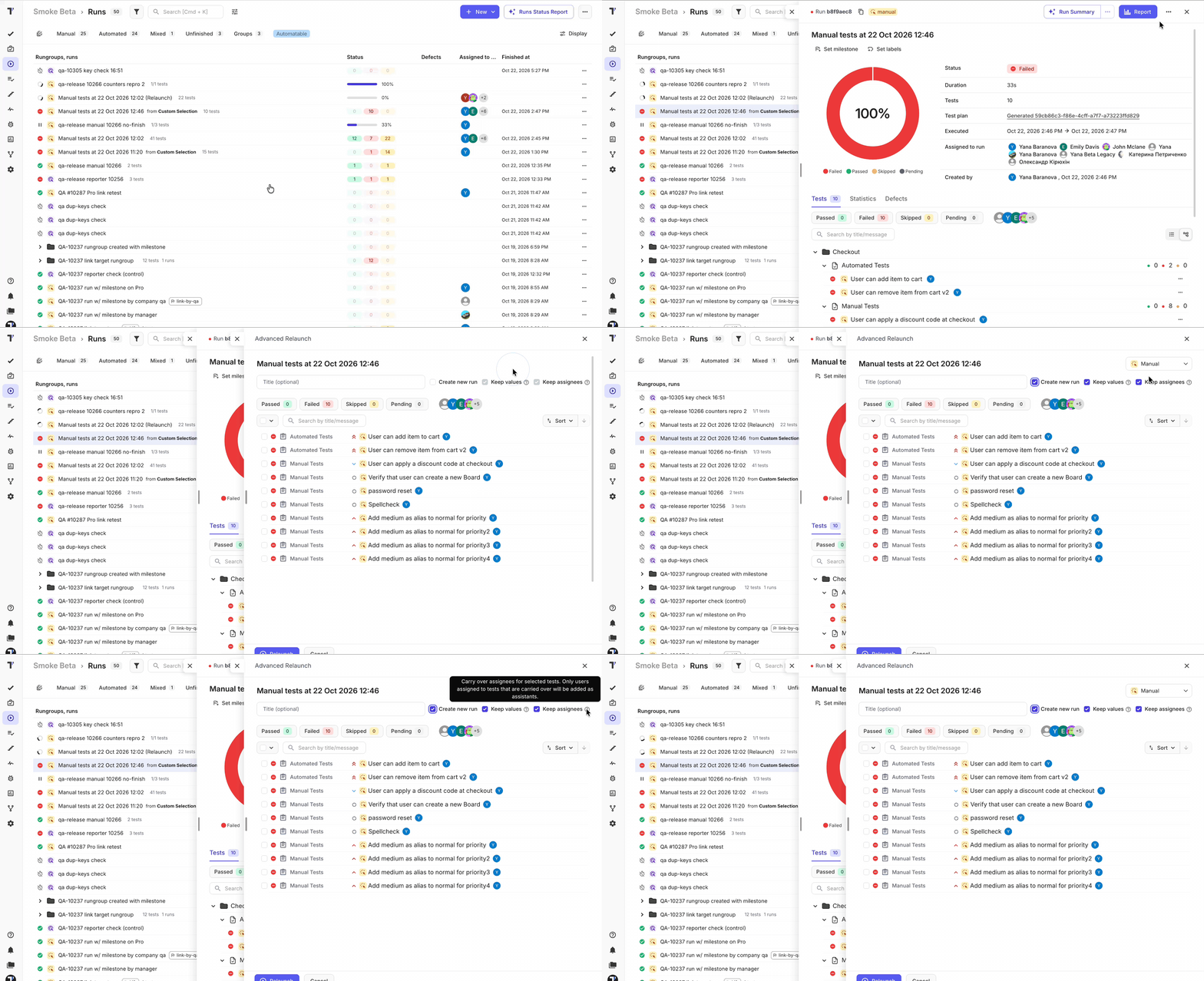
Preserve test assignments when starting a new manual or mixed run from an existing one.
The new Keep assignees option restores each test run’s original assignee and adds those users as assistants on the new run. Teams can repeat a testing cycle without rebuilding its ownership structure by hand.
Spell Check in the Test Editor
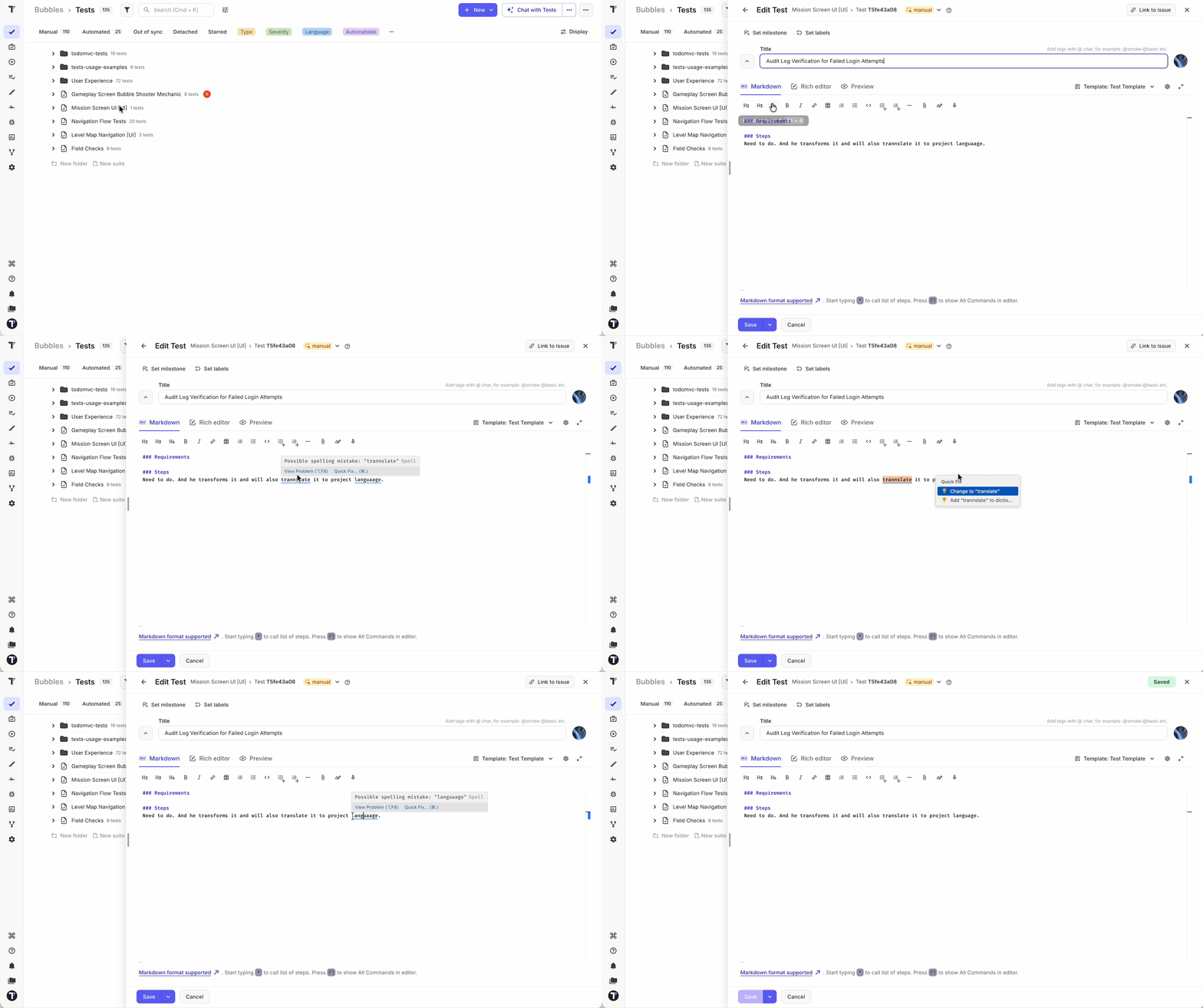
Catch typos while you write test steps, expected results, and suite descriptions. The Markdown test editor now underlines possible spelling mistakes as you type, and it skips Markdown syntax, so formatting and code-like text are not flagged. Spell check runs shortly after you pause typing and again when you leave the editor, so you see issues without waiting for a save.
When a word is underlined, click it to pick one of up to five suggested corrections, or add it to your dictionary if it is a product name or term your team uses. Spell check is on by default in both the test and suite forms, and you can turn it off from the editor's options menu.
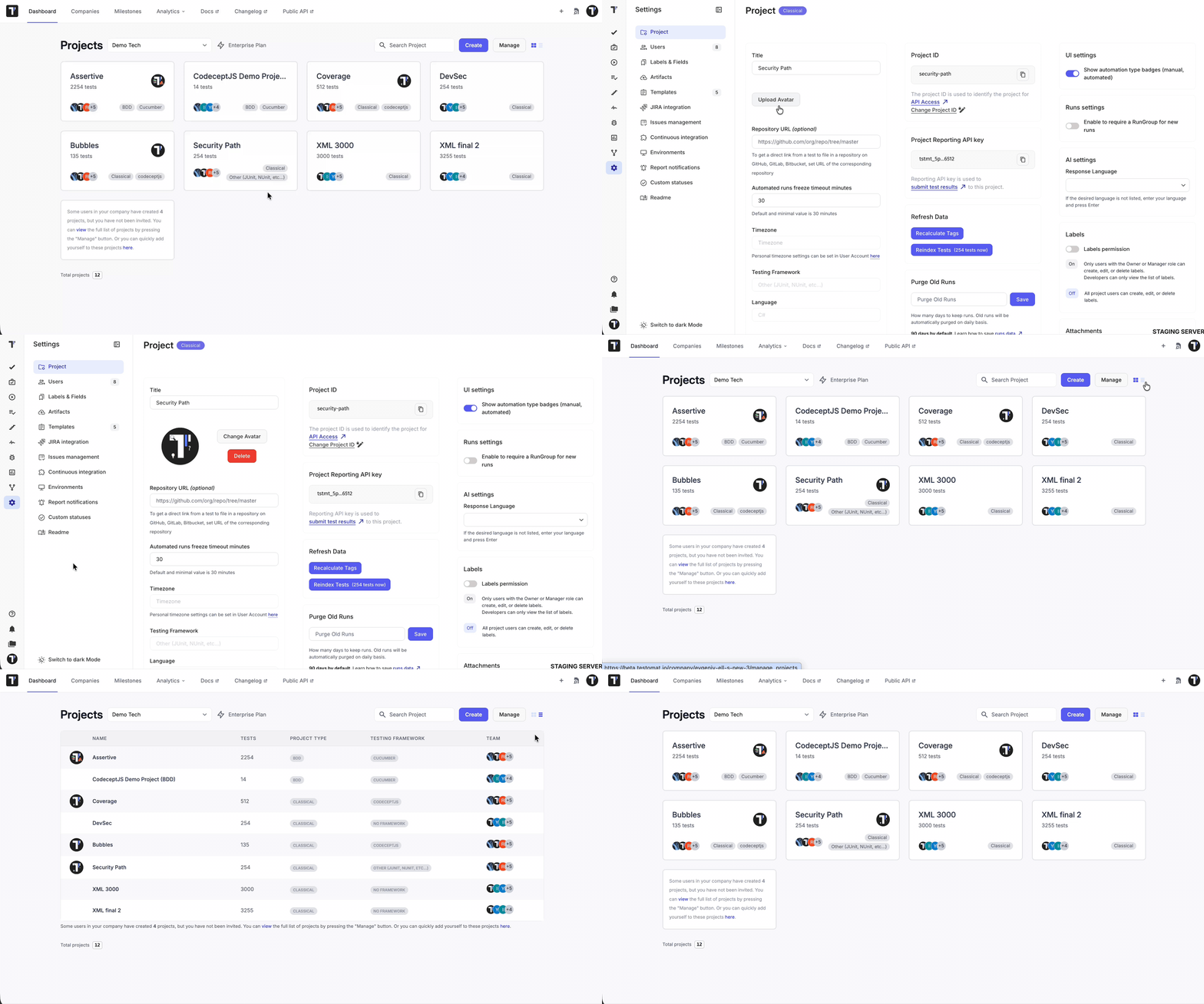
Project avatars on the dashboard
Your dashboard now shows a small avatar for each project, so you can spot a project at a glance instead of reading its name in a long list. Projects are easier to tell apart in the dashboard's project views, especially when several have similar names.
🛠️ Fixes and Improvements
- More Reliable Imports and Exports: Markdown exports now preserve absolute attachment URLs, helping images and other linked files remain accessible after tests are exported and imported elsewhere.
- Comment counters now stay accurate after comments are removed, resolving the stale comment-count badge.
- Text sanitization also preserves legitimate angle brackets while continuing to remove XSS payloads, so valid content is less likely to be changed when it is saved.
- Test a CI connection using the values currently in the form during making the configuration, so credentials can be validated before the profile is saved.
- Attached screenshots in a test run should be ordered chronologically by image date, not in arbitrary order.
- Project API tokens now recover automatically after user access is restored, no more 403 errors after granting write access to members.