
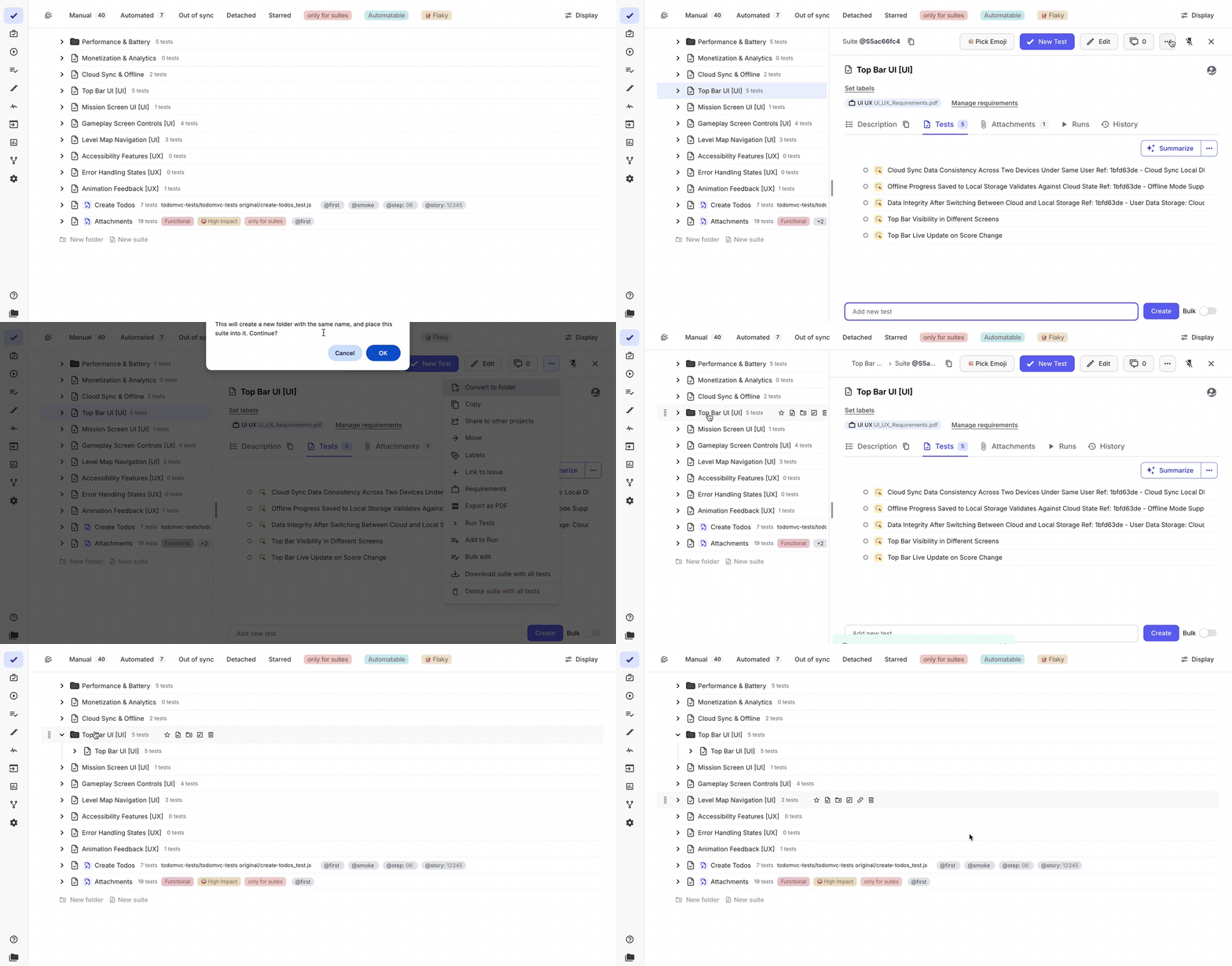
Convert Suite to Folder
We added the ability to convert a test suite into a folder. This helps when the initial suite structure needs to be reorganized as test coverage grows.
Previously, restructuring required creating new folders and suites manually, then moving tests between them, which made test organization slower and more complex, especially when the structure was not fully defined in advance.
With this update, converting a suite creates a folder with the same name and places the original suite inside it. You can then continue organizing tests within this folder by adding additional suites and building the required structure.
This simplifies test structure refactoring, reduces manual effort when reorganizing tests, and allows teams to evolve their test hierarchy more efficiently as the project grows.
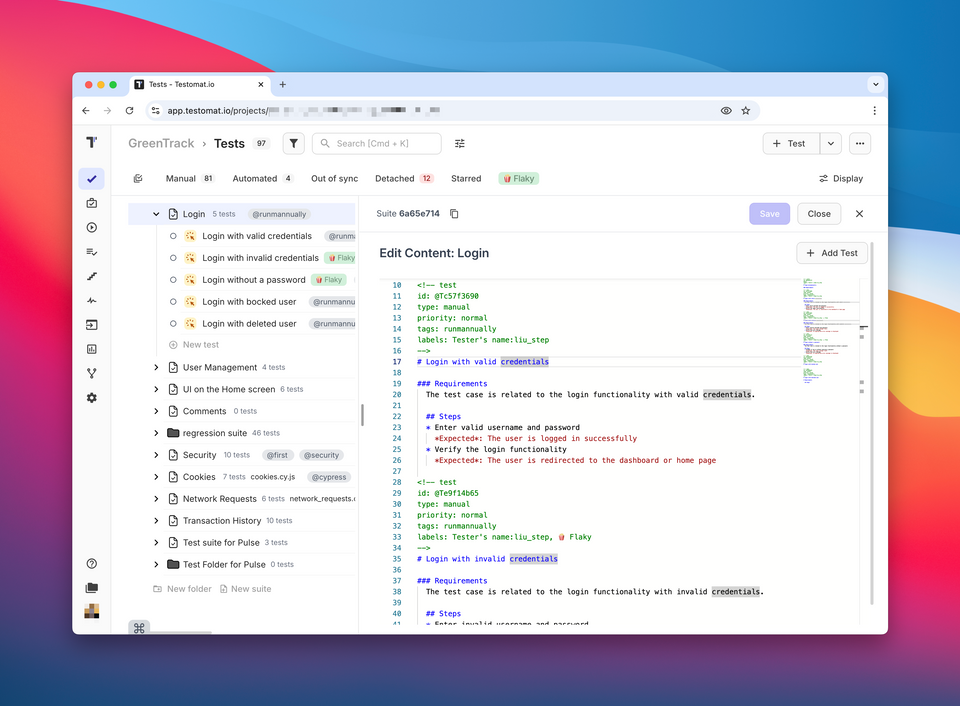
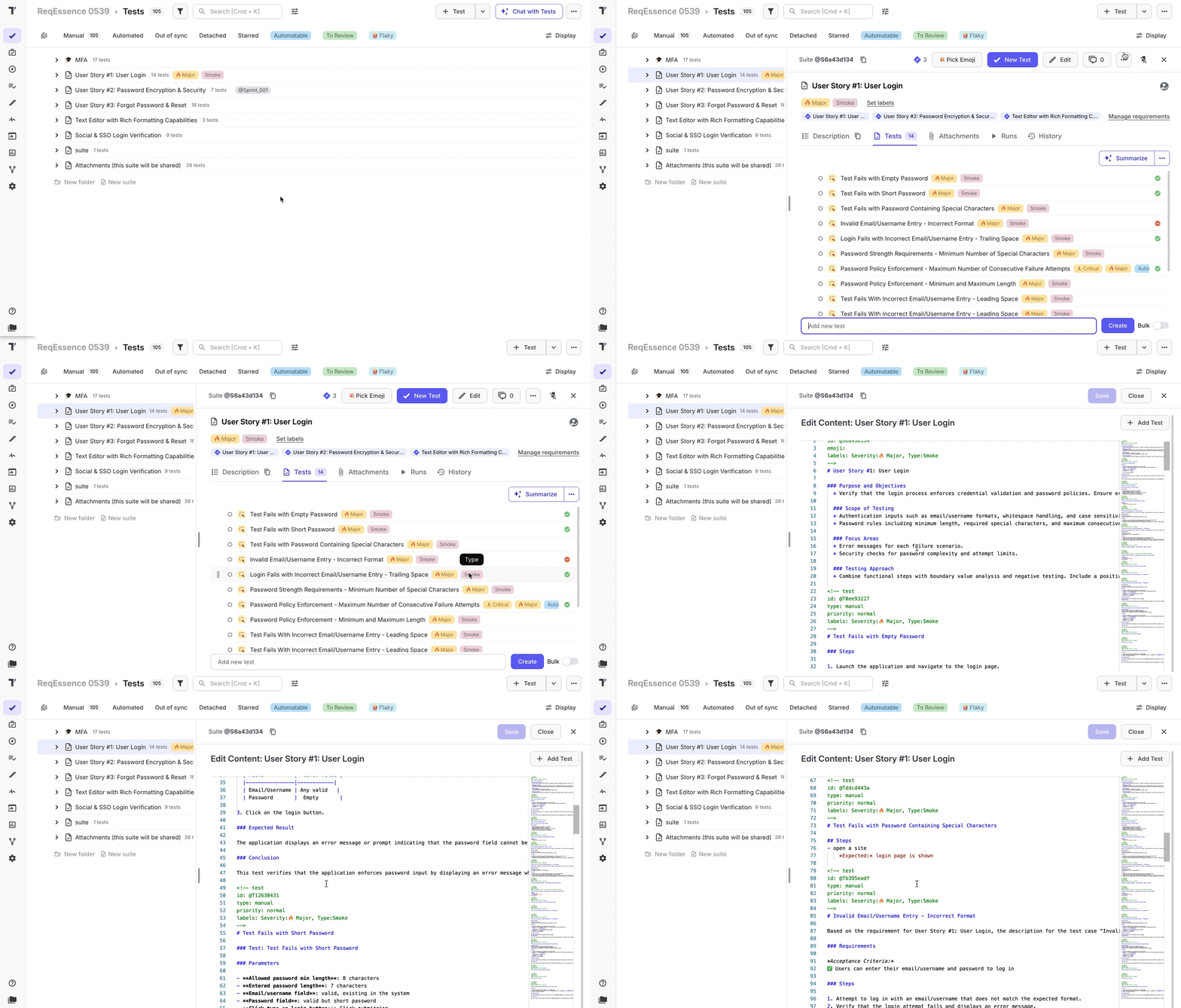
Expanded Suite Bulk Edit with Descriptions
We expanded the suite bulk edit functionality to support editing not only test titles, but also test descriptions directly within a single screen.
This allows working with multiple tests in a more structured way, including writing and updating descriptions alongside titles. It also enables creating tests within a suite as part of a larger, continuous flow—similar to drafting a single user story and breaking it down into multiple test cases.
For the best experience, this workflow is aligned with the Testomat markdown format for test definitions.
This improvement makes bulk test creation and editing more efficient, improves consistency between titles and descriptions, and supports a more natural workflow when defining tests based on requirements or user stories.
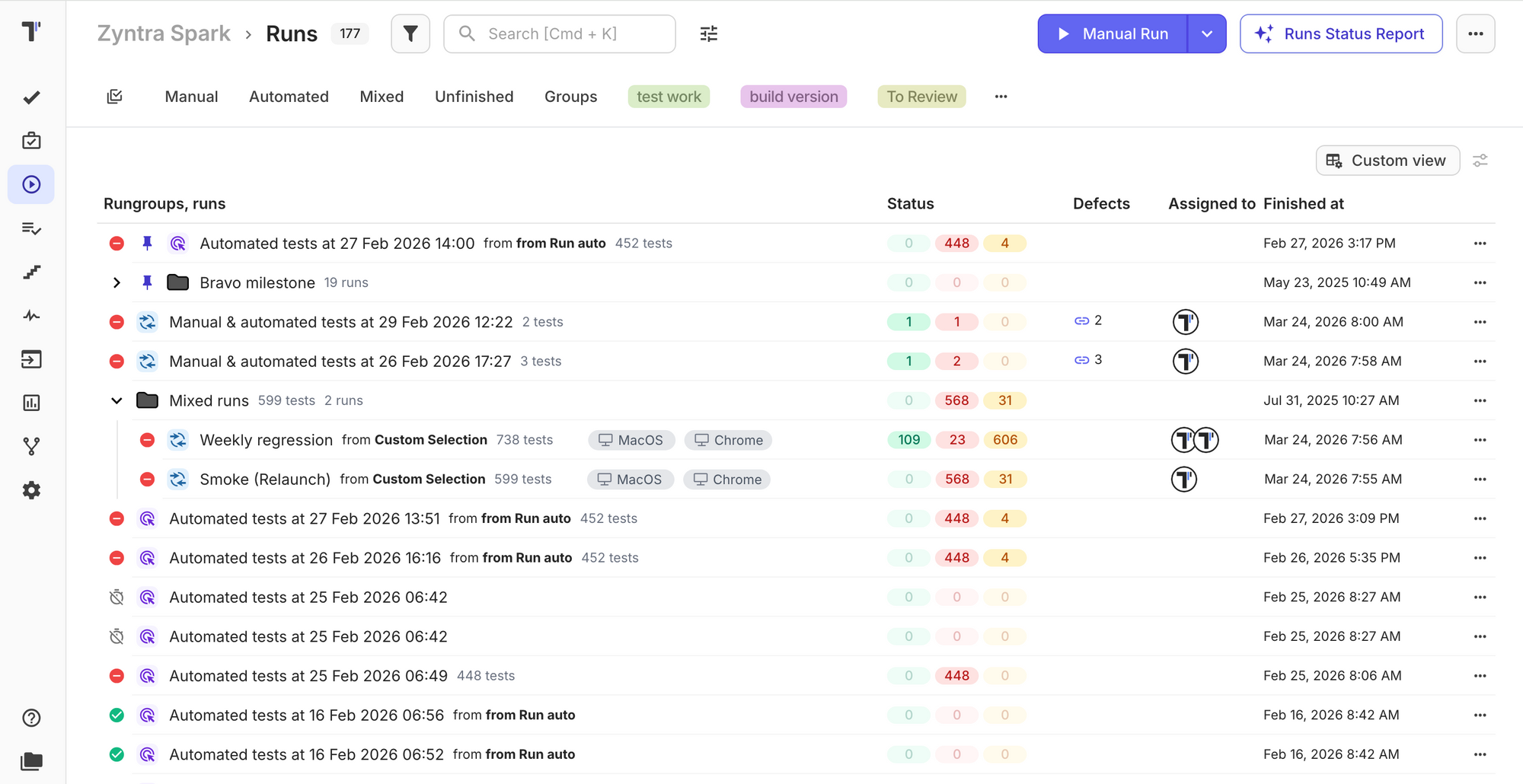
UI Improvements for Tests and Runs Pages
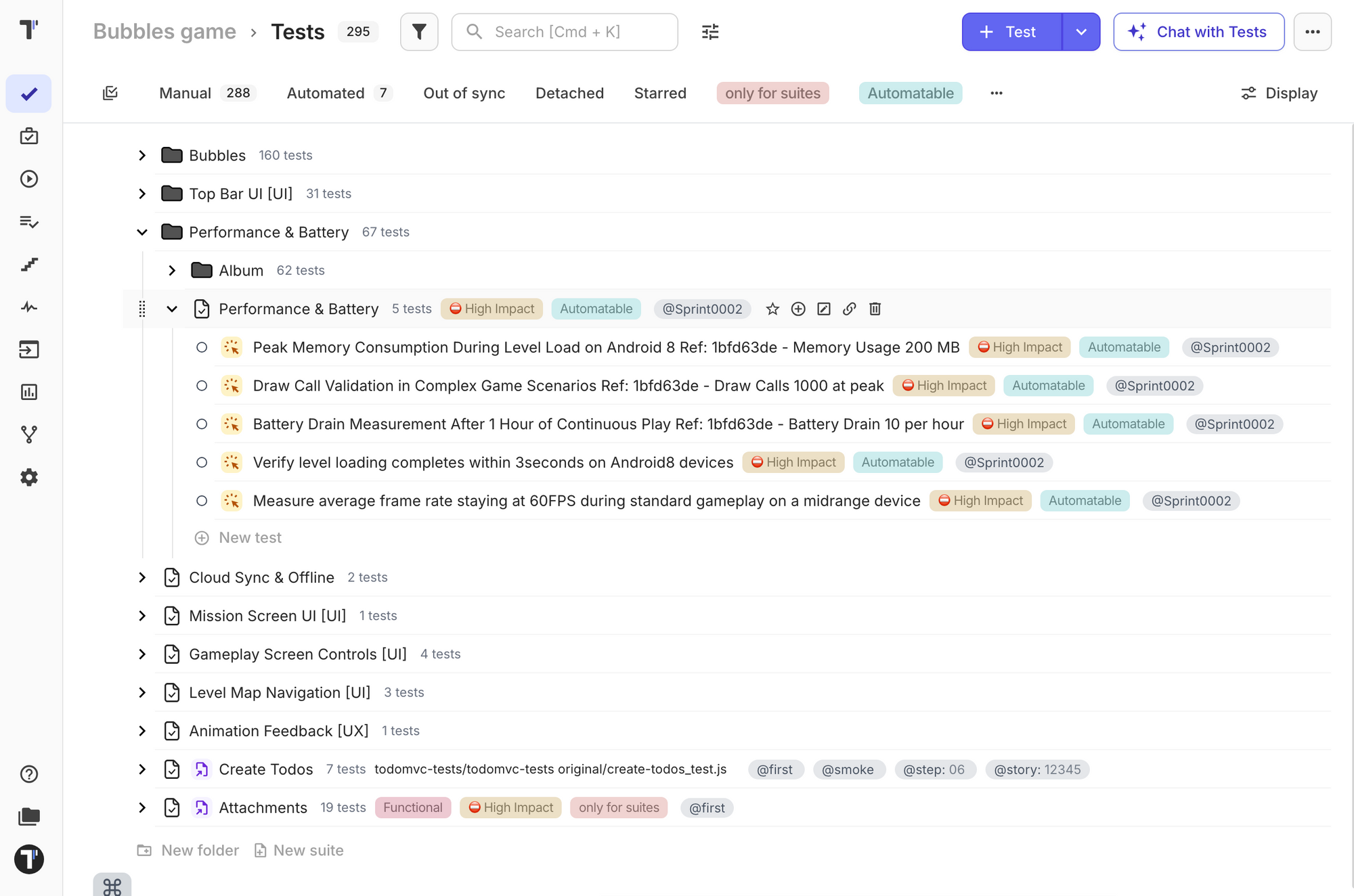
We updated the user interface of the Tests and Runs pages with new styles to improve clarity, consistency, and usability across test management workflows.
The refreshed design enhances visual structure, making it easier to navigate test hierarchies, distinguish between suites and test cases, and review run results. Key information such as statuses, tags, environments, and execution details is now more clearly presented.
The updated UI improves visibility of test data and run results, simplifies navigation across complex test structures, and provides a more consistent and readable interface for managing tests and analyzing execution outcomes.
🛠️ Fixes and Improvements
Improvements
- Improved Zephyr import, preserving Test Type data as labels
- Added filtering by labels in Automation Coverage https://github.com/testomatio/app/issues/1344
- Added filtering by detached tests in Automation Coverage https://github.com/testomatio/app/issues/1458
- Added ability to duplicate metadata when duplicating tests https://github.com/testomatio/app/issues/1309
- Improved counter processing for Run Groups https://github.com/testomatio/app/issues/1359
- Improved processing of Owner and CreatedBy fields when importing XLSX/CSV in Testomat format https://github.com/testomatio/app/issues/1516
- Improved formatting when saving AI-generated suite summaries https://github.com/testomatio/app/issues/1518
- Added support for commas in parameters (examples) https://github.com/testomatio/app/issues/1539
Fixes
- Fixed transition from read-only user to Accountant
- Fixed Run Duration view https://github.com/testomatio/app/issues/1423
- Fixed updating test descriptions after assigning status https://github.com/testomatio/app/issues/1450
- Fixed rendering of tags starting with uppercase letters https://github.com/testomatio/app/issues/1462
- Fixed "Explain Failure" error: "messages[1].content must be a string" https://github.com/testomatio/app/issues/1481
- Fixed partial deletion of tests after adding images or pasting text/images https://github.com/testomatio/app/issues/1482
- Fixed merging of test parameters when merging a branch https://github.com/testomatio/app/issues/1485
- Fixed processing of Cyrillic characters when exporting to Markdown https://github.com/testomatio/app/issues/1489
- Fixed "undefined method
suitefor nil" error in Chat with Tests https://github.com/testomatio/app/issues/1499 - Fixed AI provider request failure when using Explain Failure follow-up https://github.com/testomatio/app/issues/1504
- Fixed processing of automated tests in mixed runs https://github.com/testomatio/app/issues/1524
- Fixed filter duplication in the opened sidebar https://github.com/testomatio/app/issues/1535
- Fixed pagination in the "Jira Issues" tab on the Tests page https://github.com/testomatio/app/issues/1536
- Fixed Pin mode causing UI issues and missing "Save" button on the Templates page https://github.com/testomatio/app/issues/1546