AI Requirements Update
New Requirements Management Page
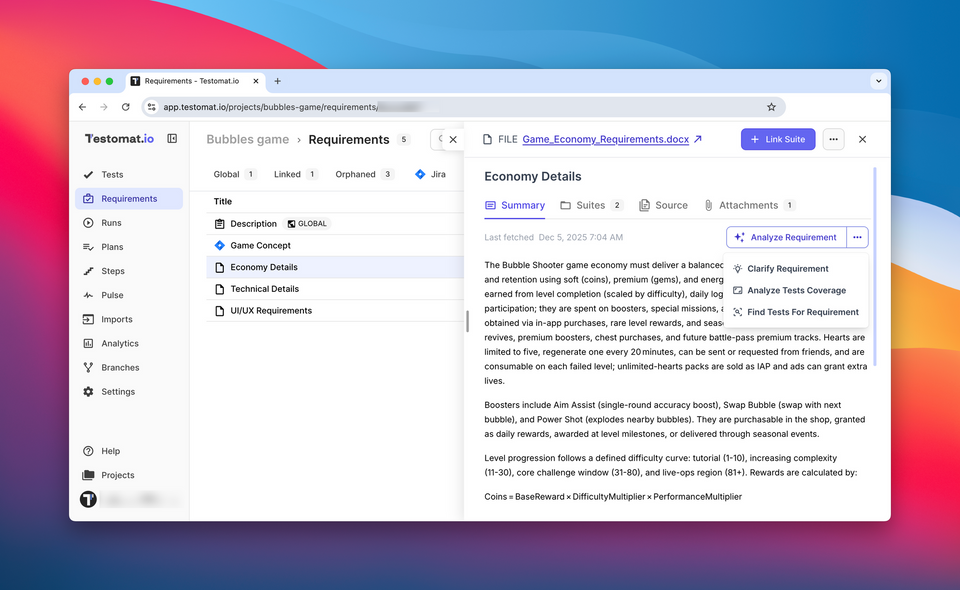
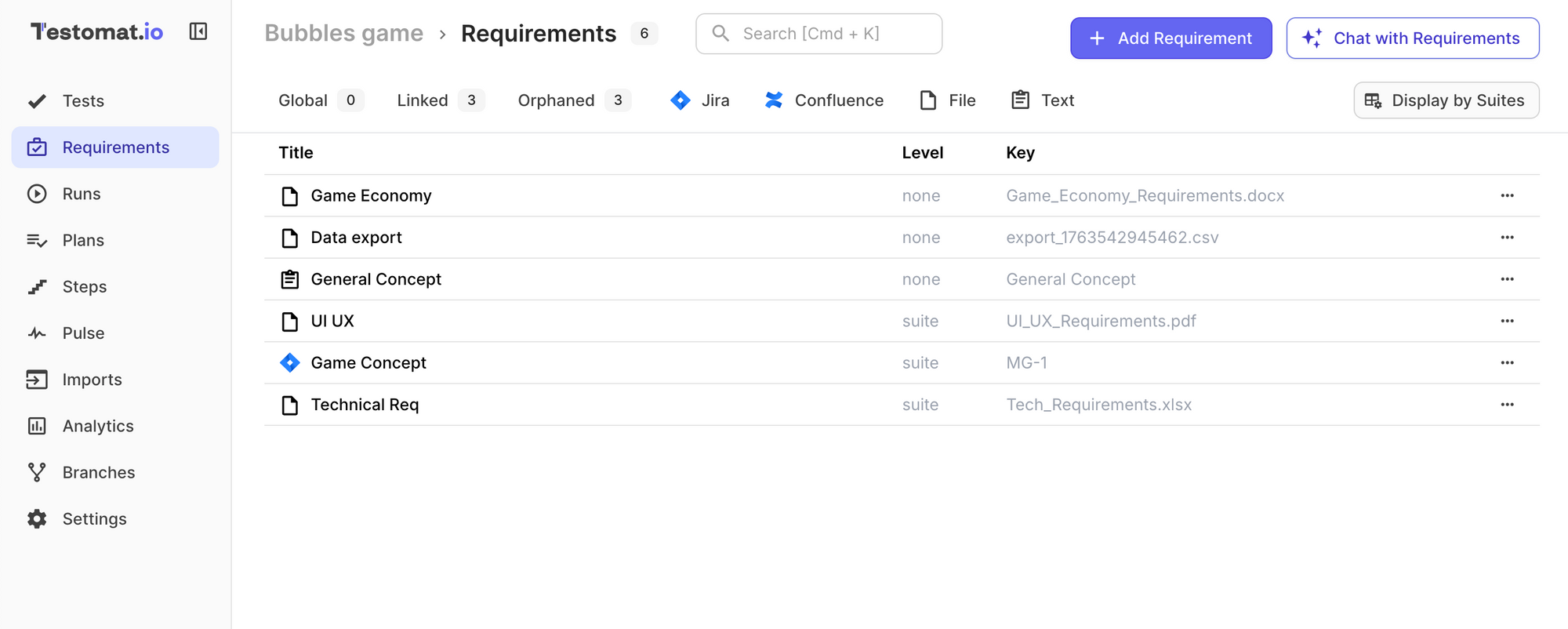
We introduced a dedicated Requirements page that brings all your requirements into a single, convenient workspace. Now you can view, organize, and update requirements in one place — without jumping across different parts of the project.
This improvement makes it easier to:
- browse and manage large requirement sets
- navigate between requirements and linked tests
- keep your requirement coverage clean and structured
A more scalable workflow for teams working with complex specifications.
New Requirement Sources: Files & Text
You now have more flexible ways to create requirements:
Supported sources include:
- Files — PDF, DOCX, XLSX, CSV, TXT, Markdown, and others
- Plain text — paste any text and instantly convert it into structured requirements
This makes it much easier to import requirements from PRDs, customer documentation, spreadsheets, briefs, or any internal artifacts your team already uses.
Global Requirements Setup
You can now set Requirements as Global, allowing the system to automatically attach selected requirements to every newly created test.
This is especially useful for teams working with mandatory compliance rules, overarching documentation, or project-wide standards that must be reflected in all tests.
To use it:
Open Project → Requirements → Select a Requirement → Global Requirements
This ensures consistency and saves time by eliminating repeated manual assignment.
Here is the updated paragraph title with an emoji — clean and appropriate for a changelog:
AI-Powered Image Understanding for Requirements
You can now attach images directly to your requirements, and AI will automatically analyze them and include their content in the requirement summary. This enriched summary is then used during test generation, ensuring that visual details are not missed.
All attached images are also automatically added to the tests created from these requirements.
The same behavior now applies to Jira- and Confluence-based requirements:
if your Jira ticket or Confluence page includes attachments (images, diagrams, files), Testomat.io will import them, analyze them, and enrich the requirements summary — giving you more accurate AI-generated tests.
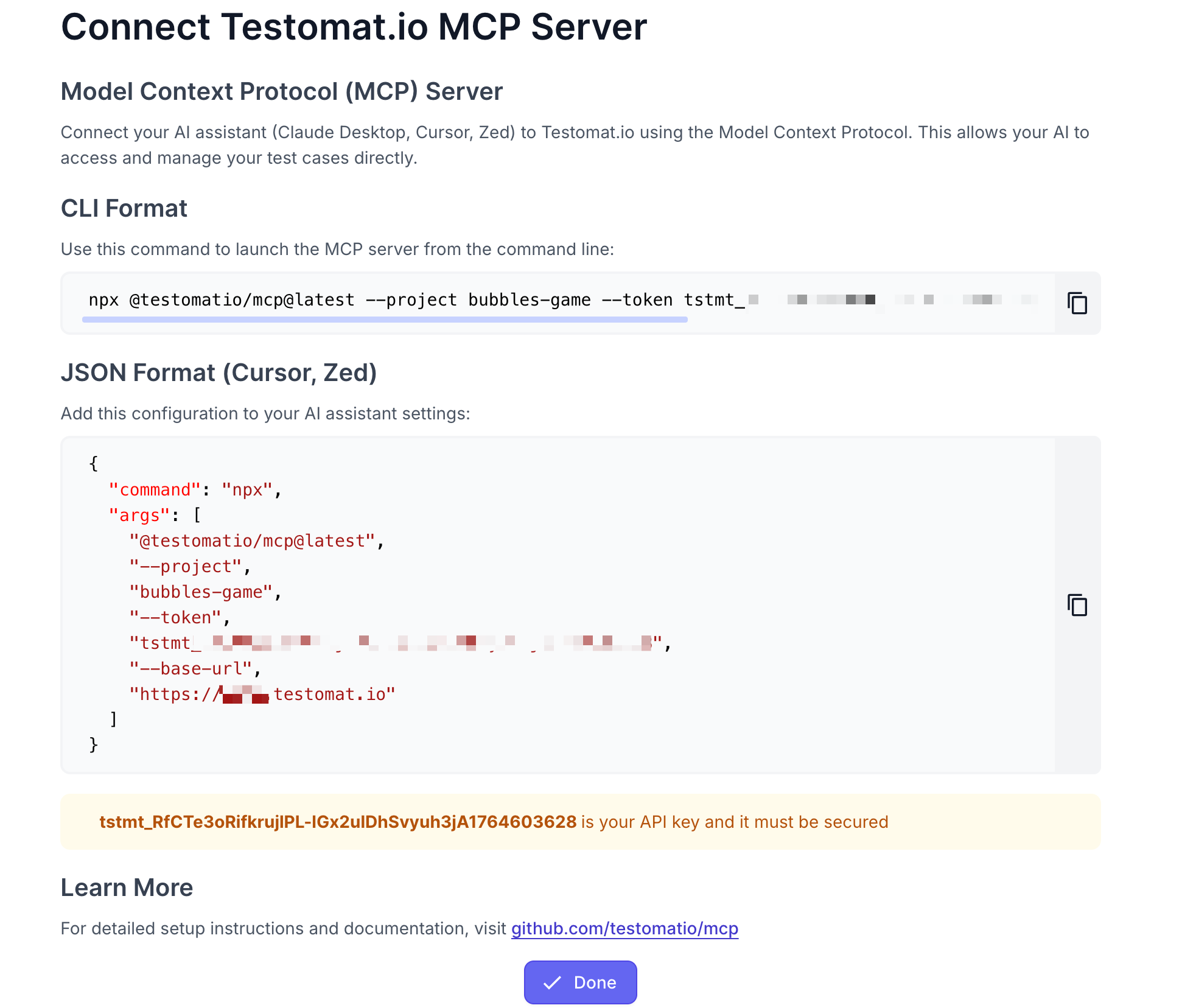
🛠️ Easy MCP Server Setup from Project UI
You can now quickly connect the Testomat.io MCP Server directly from your project interface.
The Model Context Protocol (MCP) allows AI assistants like Claude Desktop, Cursor, and Zed to securely access and manage your test cases.
With this release, we’ve made configuration effortless — no need to search documentation.
How to access:
Open your project → Extra menu (top-right corner) → MCP Server
Inside, you will find step-by-step instructions for connecting the Testomat.io MCP Server to your preferred AI tool.
This makes integrating AI into your workflow faster, smoother, and more accessible for your entire team.
You can find more details on Testomat.io MCP Server here.
🤖 Robot Framework Support
Robot Framework is a popular Python based automation framework used for acceptance testing, ATDD, and RPA. It uses keyword-driven testing, making tests readable and easy to maintain.
With this update, you can now import Robot Framework tests into Testomat.io and report test results directly from your CI/CD pipelines or local runs.
Benefits of using Testomat.io for Robot Framework tests:
- Centralized test reporting and management for all Robot tests
- Traceability of test results and easy linking to requirements or issues
- Insights into test coverage, flaky tests, and execution trends
- Ability to combine Robot tests with manual and other automated tests in mixed runs for unified reporting
You can find more details Testomat.io plugin for Robot Framework here.
🌐 Global Analytics Improvements
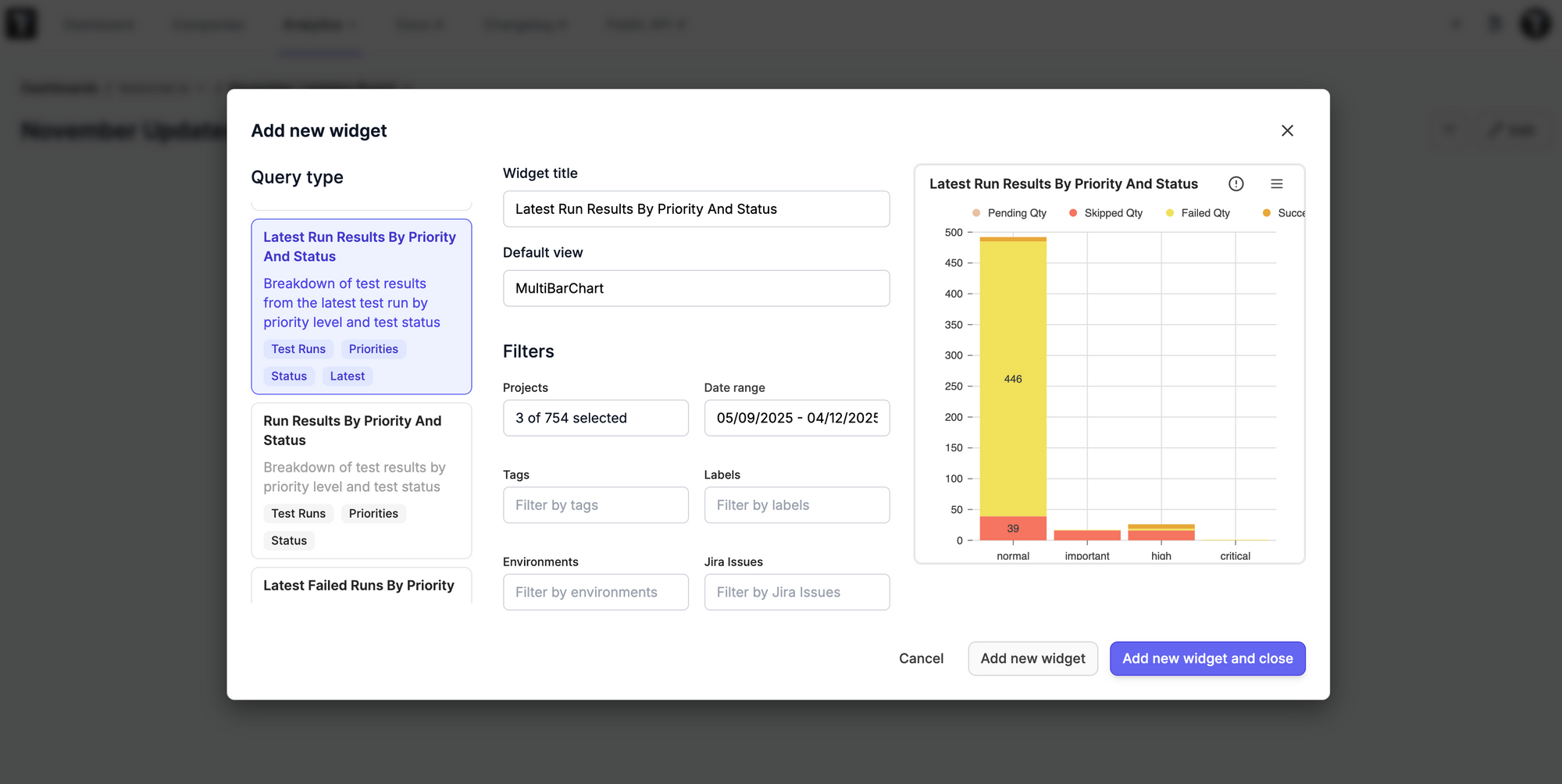
We refined and improved the Global Analytics experience to make it more intuitive and visually appealing.
What’s new:
- Simplified widget creation – it’s now smoother and faster to configure analytics widgets for your workspace
- Refreshed UI – widgets have an updated, cleaner look for better readability and a more modern analytics dashboard
These enhancements make it easier to build meaningful insights and keep your global Testomat.io analytics organized and clear.
🔗 Linking Automated Tests to Manual Test Cases
We’ve expanded how automated test results can be connected with manual test cases, giving you full control over how tests appear in reports. This improvement ensures that all scenarios — automated or manual — are properly tracked and reported.
Key Updates
Automated Runs (Default)
Automated runs remain focused on automated test execution results. Manual test cases linked via linkTest() are shown as references but do not count as executed tests. This keeps automated test reports clean while still showing related manual coverage.
Manual Runs
In manual runs, you can link automated tests to manual test cases. Only manual test cases appear in the report, while automated tests remain hidden. This is useful when automated checks verify manual test status without inflating execution counts.
Mixed Runs
Mixed runs combine both automated execution and manual test results in a single report. Each appears as a separate entry, giving you a complete and accurate view of test coverage.
How It Works
# 1. Create a run (manual or mixed)
RUN_ID=$(TESTOMATIO=tstmt_xxxx npx @testomatio/reporter start --kind mixed | tail -n 1)

# 2. Run your automated tests while linking to the created run
TESTOMATIO=tstmt_xxxx TESTOMATIO_RUN=$RUN_ID <run tests command>

# 3. Or use the one-step approach
TESTOMATIO=tstmt_xxxx npx @testomatio/reporter run "<run tests command>" --kind mixed
This flexible linking system ensures that automated and manual tests are fully integrated, giving teams better insight into testing progress and coverage.
Find more details here.
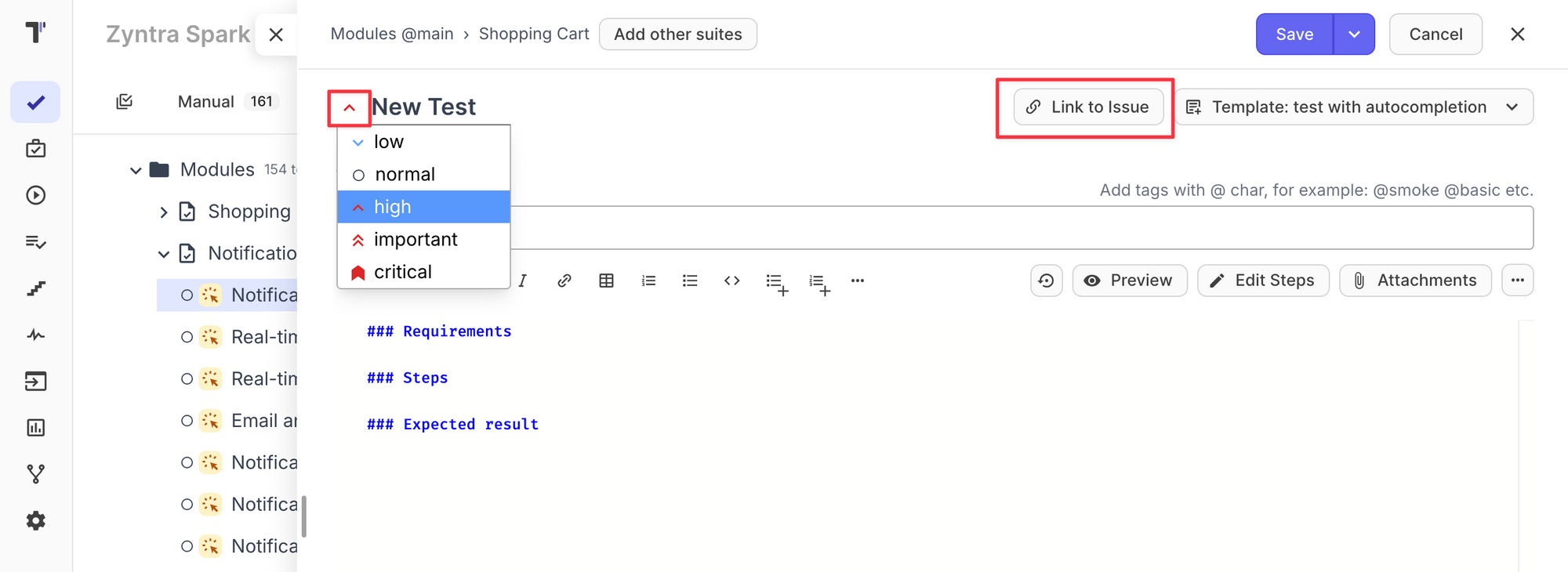
🎯 Assign Priority & Link Issues While Creating or Editing Tests
We streamlined the test creation flow!
Now, when creating or editing a test, you can immediately:
- Set test priority
- Link the test to an issue (Jira, GitHub, etc.)
This removes the need for additional edits and helps maintain consistent test documentation from the start.
📍 This option is available now directly in the test creation/edit modal.
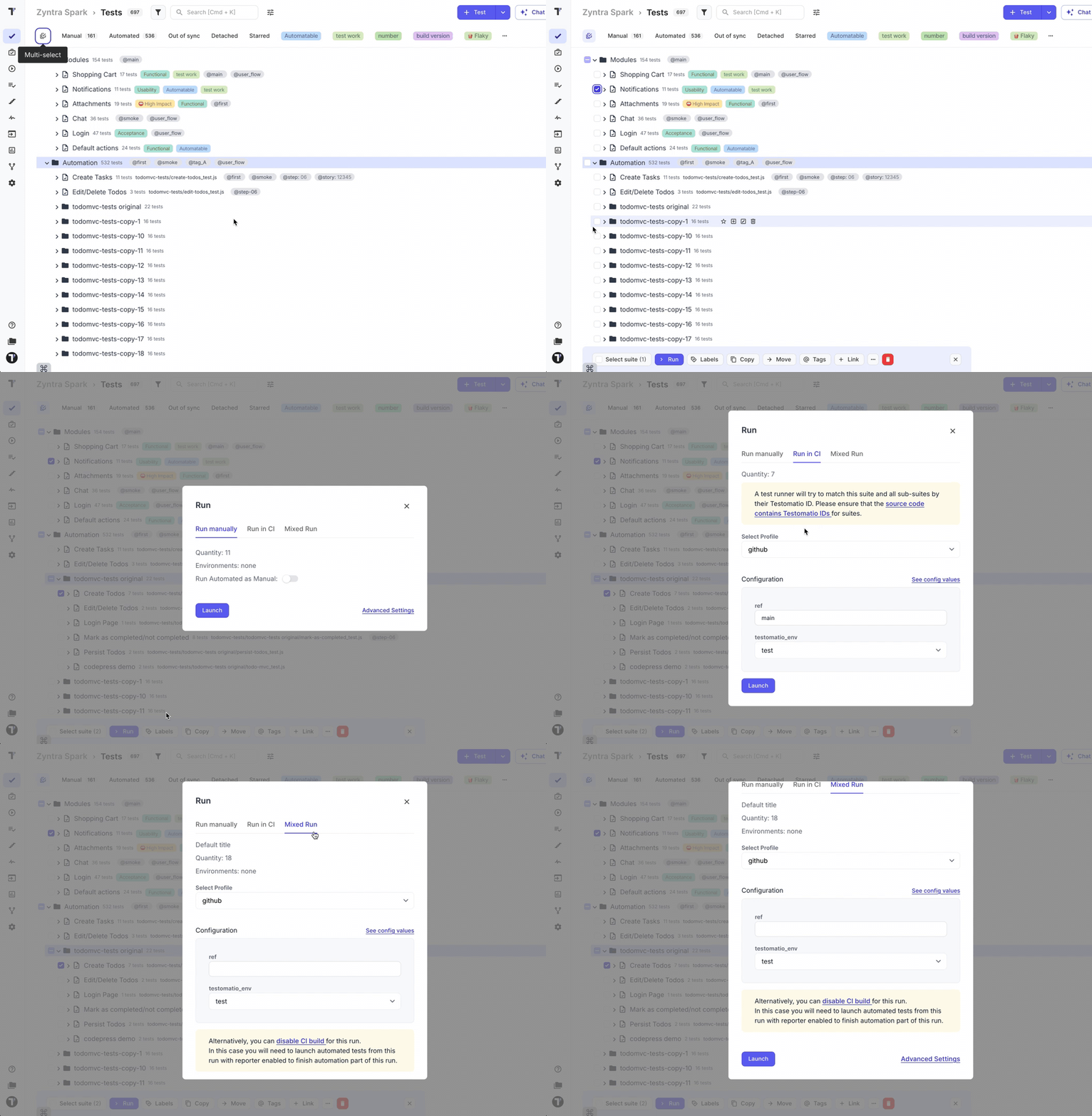
🚀 Launch Automated Tests Directly from the Test Tree
We expanded the ability to trigger automated tests right from the Tests page. You can now multiselect tests or suites in the Test Tree and launch:
- Manual runs
- Automated runs
- Mixed runs
This provides a faster workflow — especially when working with hybrid projects combining manual and automated testing.
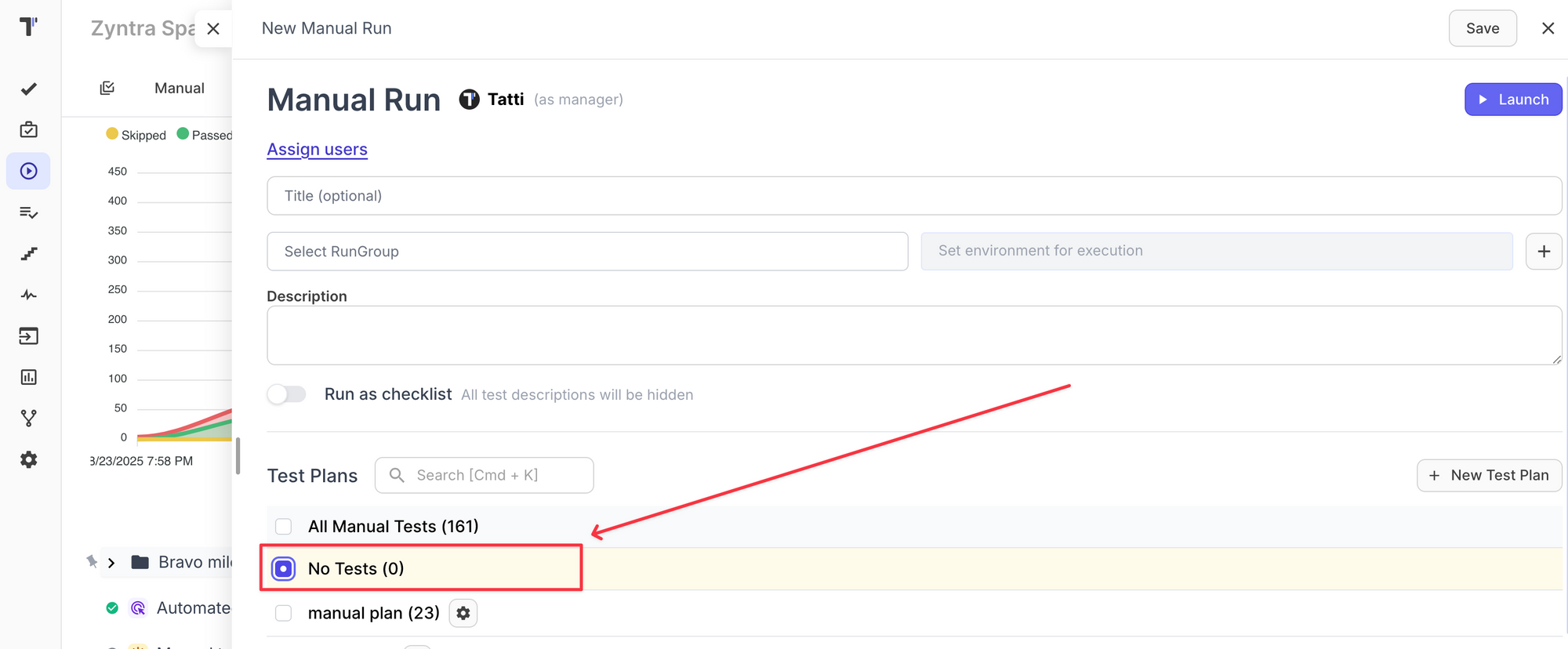
➕ Create an Empty Test Run & Build It on the Go
We introduced a new way to start your testing process — create an empty Test Run first, then add or create tests as you go.
Ideal for:
- Exploratory testing
- Quick verification tasks
- Creating tests from findings during execution
Your Test Run can now evolve in real time, adapting to your testing flow without requiring upfront setup.
🧭 Issues Traceability Coverage Report
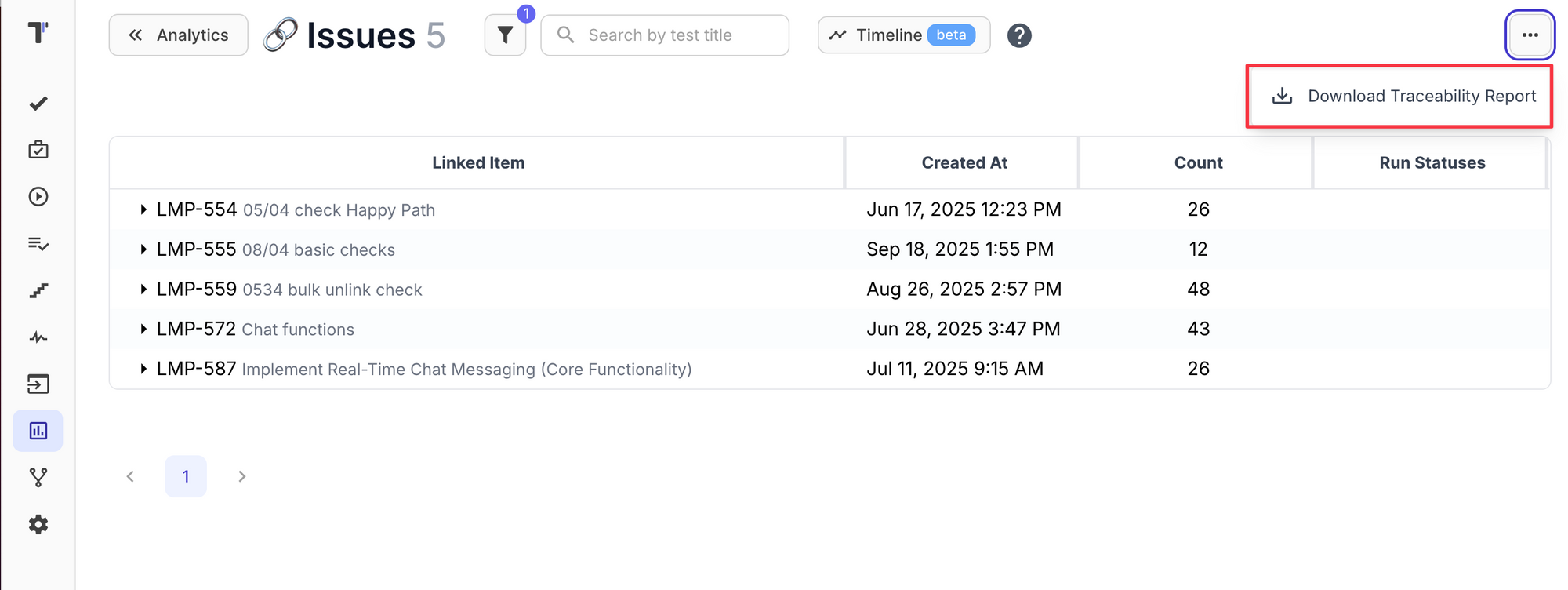
We added a new Traceability report to help you see how well your issues are covered by tests. Now you can easily track test coverage for Jira or other linked issues across your project.
Where to find it:
Analytics → Issues widget → Extra menu → Download Traceability report
Pro tip:
Use filters to narrow down results: Environments, Tags, Labels, Date Range, Priority
This report is especially useful for release readiness checks and coverage audits.
🛠️ Fixes and Improvements
- Fixed timestamps in Test Run tab — now showing exact execution time
- Fixed removing tests after launching tests from the Tests Tree
- Fixed UI updating when adding/removing tags in bulk
- Fixed reporting automated test steps via API